iRobot Roomba 105 Vac review: a simple Roomba that finally cleans in straight rows
The iRobot Roomba 105 Vac is a vacuum-only Roomba with ClearView lidar navigation, 7,000 Pa of rated suction, Carpet Boost and room-by-room cleaning, sold with either a charging dock or an AutoEmpty dock. It is easy to use and a big upgrade over older entry Roombas. It lacks obstacle avoidance and anti-tangle brushes, and it trails rivals on pet hair and battery efficiency.
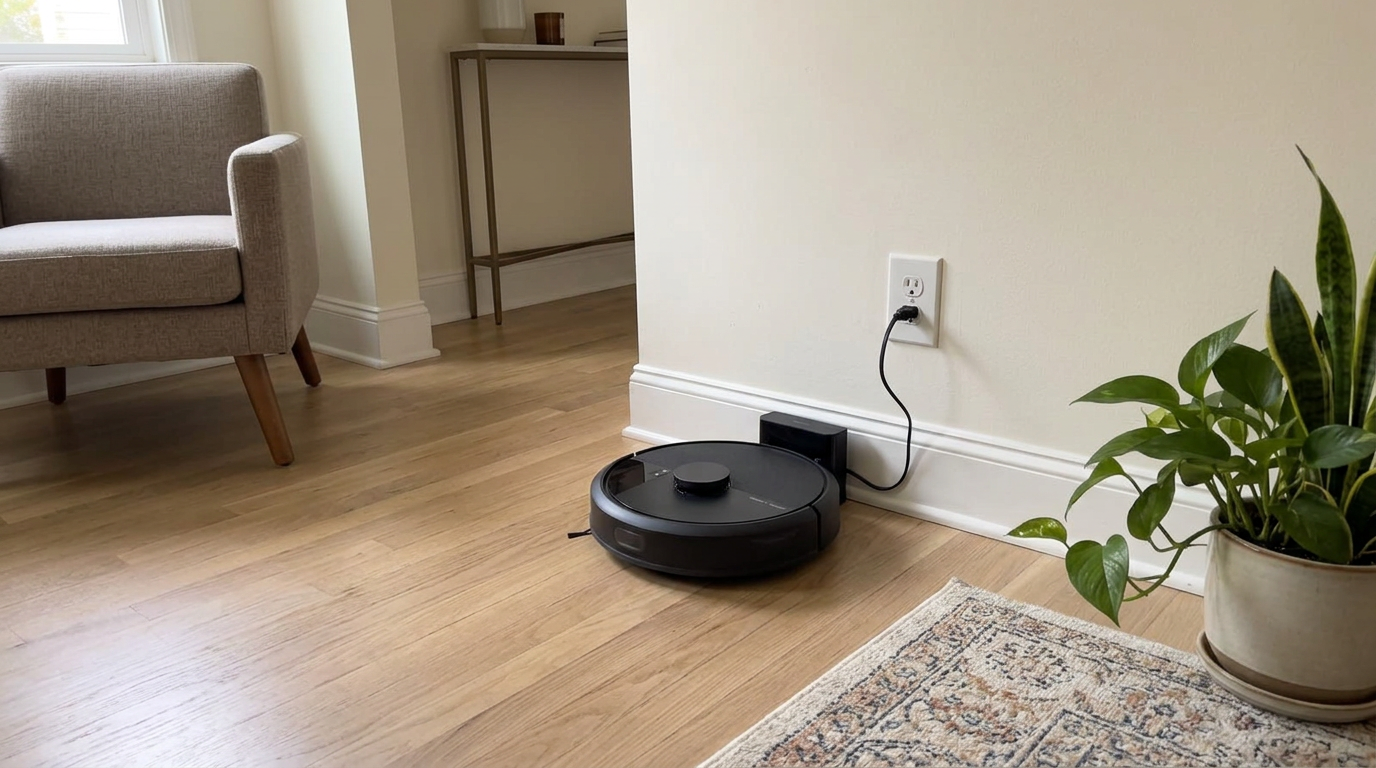
In this review
I like the iRobot Roomba 105 Vac because it gives you modern lidar navigation and a genuinely friendly app in a simple vacuum that anyone in the house can use.
It maps quickly, cleans in straight rows, boosts suction on carpet and can empty itself for months with the right bundle. But its single brush tangles with long hair, it has no camera for small obstacles, and published tests found rivals doing better on pet hair and coverage. For tidy homes with mostly hard floors and short-haired pets or none, it is a dependable choice.
The short answer
- Buy it if you want an easy Roomba with lidar mapping and optional self-emptying for mostly hard floors.
- Its biggest strengths are accurate mapping, a simple app and a long-lasting AutoEmpty bag option.
- Its weak spots are basic obstacle handling, a brush that tangles with long hair and middling battery efficiency.
- Bundles and prices change often, so check today’s price before you buy.
iRobot Roomba 105 Vac at a glance
iRobot Roomba 105 Vac pros and cons
- ClearView lidar maps fast and accurately
- Cleans in neat rows
- Carpet Boost raises suction on rugs
- Room-specific cleaning and no-go zones
- Multi-level mapping
- Optional AutoEmpty dock up to 75 days
- Friendly Roomba Home app
- Works with Alexa and Google Assistant
- No obstacle avoidance
- Single brush roll isn’t anti-tangle
- Single side brush doesn’t extend
- Trails rivals on pet hair pickup
- Battery efficiency is only average
- No mopping
Who should buy the iRobot Roomba 105 Vac?
- First-time robot owners
- Mostly hard floors
- Tidy homes
- People who like simple apps
- Upgraders from older Roombas
- Multi-level homes
- Long-haired pets
- Cluttered floors
- Carpet-heavy homes
- Anyone who wants mopping
How the Roomba 105 Vac rates in my research
I scored the Roomba 105 Vac by combining iRobot’s specs with independent test data and a large sample of owner reviews, then weighting each area by its impact on daily use.
Navigation is the big win. Lidar is a major step for iRobot’s entry-level robots, and owners upgrading from older models consistently say it is the most noticeable improvement.
Pet hair and coverage are where it falls behind. Published head-to-head testing found competitors at a similar level doing better on pet hair pickup, battery efficiency and coverage.
The app and ease of use are strong. iRobot’s Roomba Home app is among the friendliest around, and the 105 Vac is easy to get running.
Scores are my editorial ratings out of 10, based on specifications, published test data and owner reports.
My tip: If you don’t have pets and your floors are usually tidy, the overall score undersells this robot. If you have a long-haired dog, weigh the hair score heavily.
First impressions of the Roomba 105 Vac
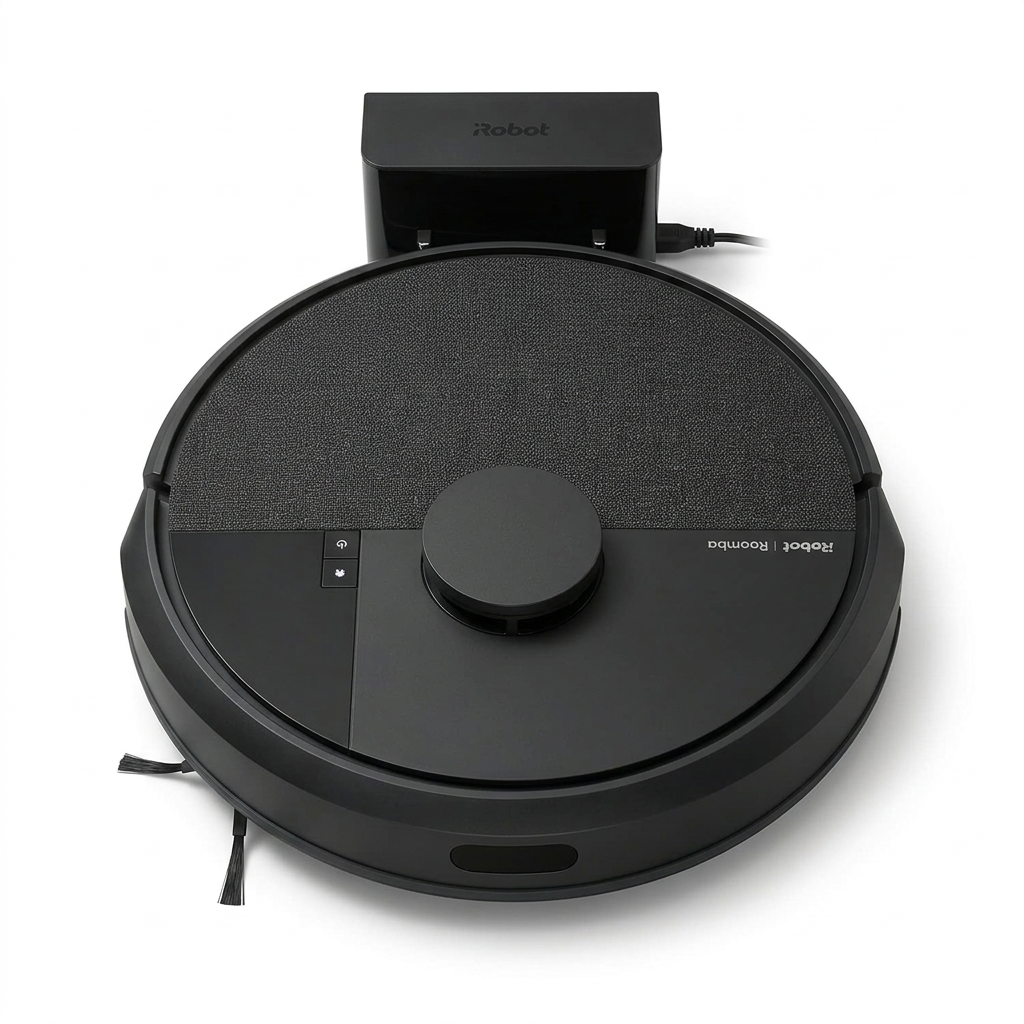
The Roomba 105 Vac looks like a modern Roomba, with a lidar turret on top and finishes designed to blend into home décor.
Setup is classic iRobot: plug in the dock, download the Roomba Home app, connect the robot to Wi-Fi and run a mapping clean.
Lidar lets the 105 Vac clean in straight, efficient rows.
The first map comes together quickly. Owners upgrading from older bump-and-go Roombas describe the change as night and day.
Once the map is saved, you can name rooms, set no-go zones and send the robot to a specific room on demand.
If your bundle includes the AutoEmpty dock, the first empty cycle is a reminder that self-empty docks are loud, but only for a few seconds.
What the iRobot Roomba 105 Vac is
The Roomba 105 Vac is the vacuum-only member of iRobot’s 105 family. The family includes a combo version that mops and bundles with either a charging dock or an AutoEmpty dock.
That means the exact package depends on the listing. Check whether yours includes the AutoEmpty dock if you want self-emptying.
The cleaning system
It uses a single edge brush, a single multi-surface brush roll and suction rated at 7,000 Pa. iRobot describes the suction as dramatically stronger than its older 600 series.
Carpet Boost raises suction automatically when the robot detects carpet, which helps on rugs without changing settings by hand.
Navigation
ClearView lidar maps the home and guides the robot in straight rows. It supports multi-level maps, room-specific cleaning and no-go zones.
What it leaves out
There’s no camera for obstacle avoidance, no anti-tangle brush design, no extendable side brush and no mopping. It is a straightforward, affordable vacuum.
iRobot’s feature names, decoded
Here is what iRobot’s branded terms mean for this robot.
Roomba 105 Vac dock and design
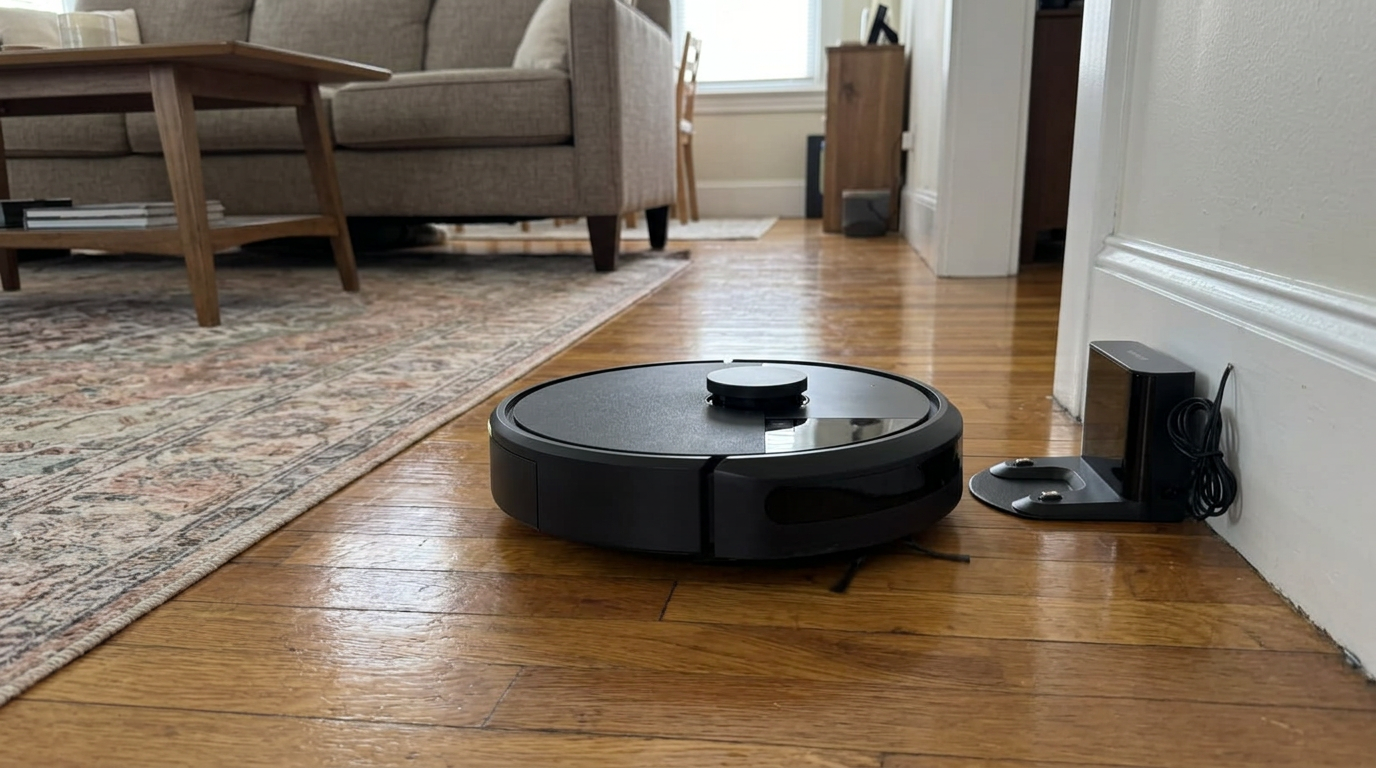
The robot is a familiar round Roomba with a lidar turret. It is a full-size robot, so measure under your lowest furniture before buying.
The dock depends on the bundle. The basic version just charges the robot. The AutoEmpty version pulls debris into a sealed bag rated for up to 75 days.
If you can choose, I’d pick the AutoEmpty bundle. It is the biggest convenience upgrade you can make to a vacuum-only robot.
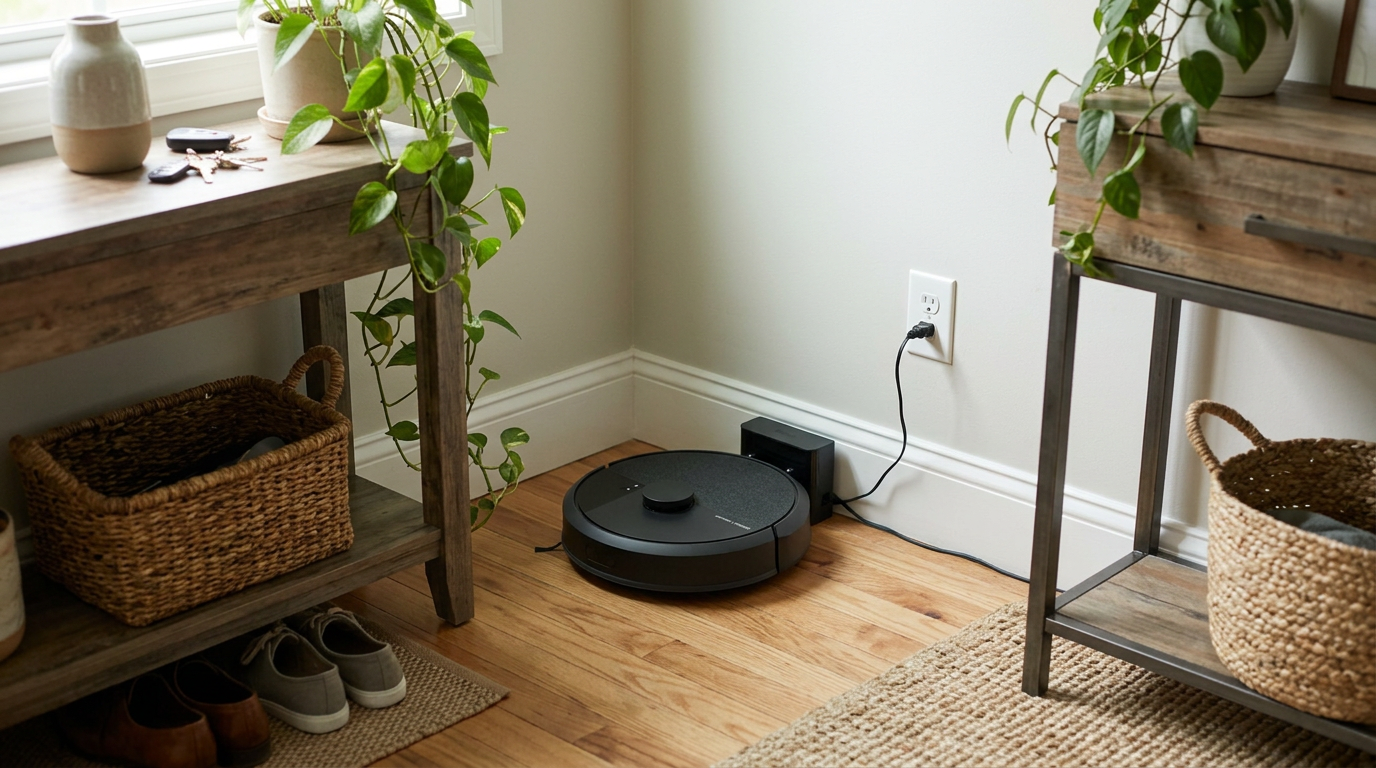
Carpet Boost raises suction on rugs automatically.
Sealed bags are a plus for allergies. When you remove a full bag, it closes, so dust stays inside.
My tip: Give the dock clear space in front and on each side. Lidar robots dock more reliably when the approach is open.
Roomba 105 Vac vacuuming performance
With 7,000 Pa of rated suction, the 105 Vac has enough power for daily maintenance cleaning, especially on hard floors.
Hard floors
Crumbs around the dining table, grit by the back door and dust under the couch are the kinds of messes it handles best. Owners often describe the house simply staying cleaner, because the robot runs every day instead of the floors waiting for a weekend vacuum.
On hardwood, tile and vinyl, it does a solid job with dust, crumbs and light debris. Straight-row cleaning means fewer missed strips than older Roombas.
Carpet and rugs
Carpet Boost raises suction on rugs, and owners report tidy results on low pile. On thicker carpet, it is adequate rather than impressive.
Edges and corners
The single side brush doesn’t extend, so corners and baseboards get less attention than with robots that reach outward.
Coverage and battery
Published testing found its battery efficiency and coverage behind some rivals. Recharge and resume helps it finish larger homes, but it may take longer.
My tip: Run it daily instead of a few times a week. Frequent light passes play to its strengths and keep floors consistently clean.
Pet hair and tangled hair
Pet hair is the Roomba 105 Vac’s weakest area. Its single brush roll lacks a dedicated anti-tangle design or comb.
Short pet hair on hard floors is handled reasonably well. Owners with short-haired cats and dogs are generally satisfied.
Long hair is more of a problem. It wraps around the brush and needs cutting out regularly, and published head-to-head testing found rivals picking up more pet hair.
The AutoEmpty dock helps in pet homes by taking fur out of the small onboard bin automatically.
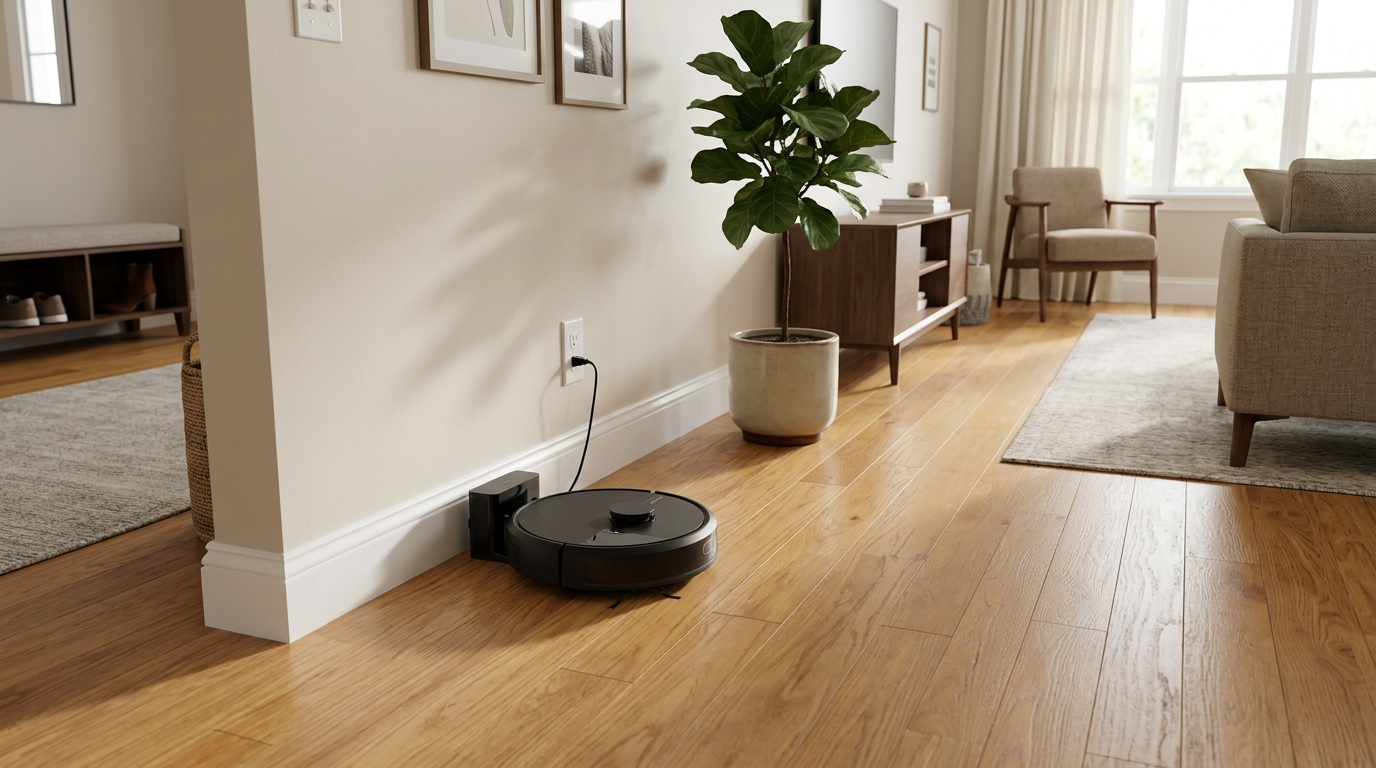
Check the brush roll weekly if you have long hair in the house.
My tip: Make brush cleaning part of your weekly routine. A clear brush makes a big difference to pickup.
Navigation, mapping and obstacles
ClearView lidar is the reason to buy this Roomba. It maps quickly, cleans in rows and supports room-specific cleaning and no-go zones.
Multi-level mapping means you can carry it upstairs and it will recognize the floor, which is handy in two-story homes.
Obstacle avoidance
The 105 Vac doesn’t have obstacle avoidance. Lidar keeps it clear of walls and furniture, but cords, socks and pet toys can still trap it.
Low light
Lidar works well in the dark, so you can run it at night without lights on.
My tip: Use no-go zones around desks and entertainment centers where cables collect. It’s easier than tidying them every day.
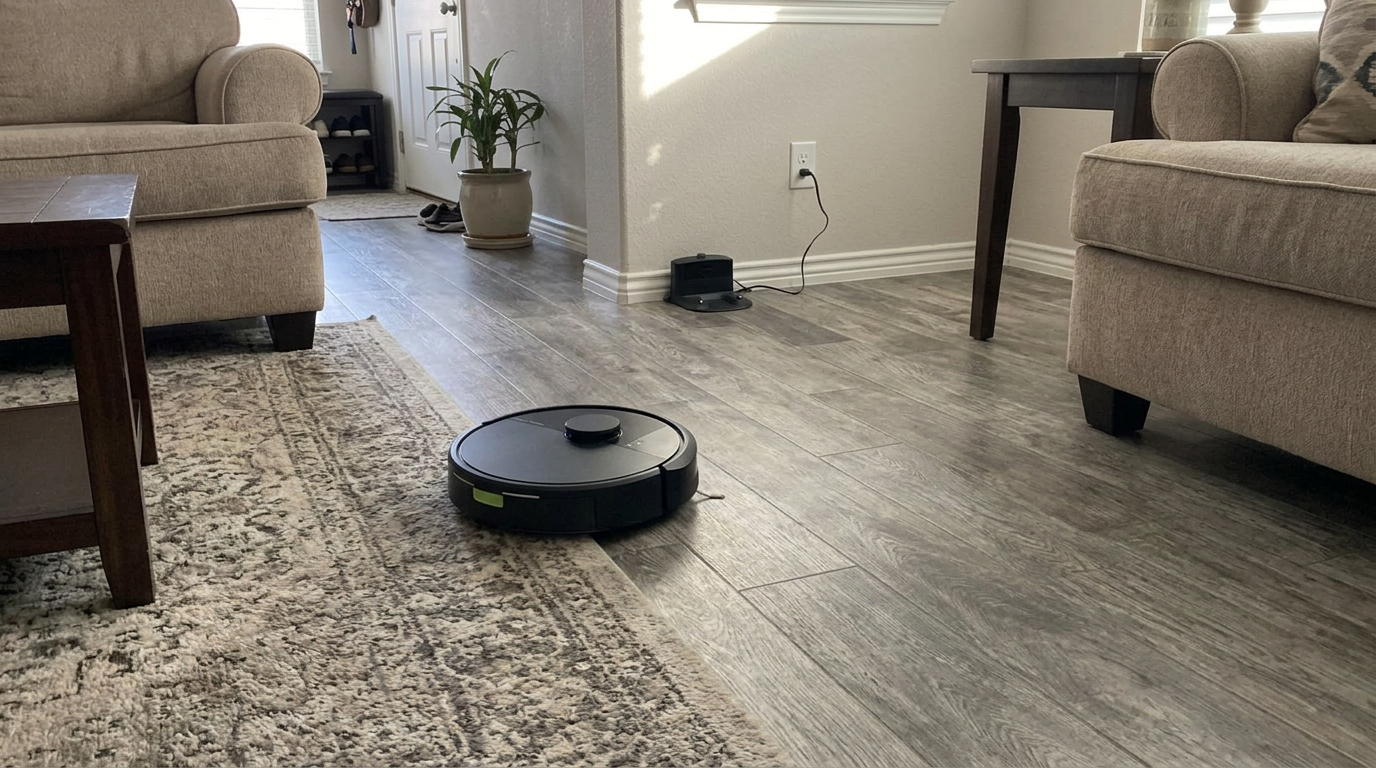
Lidar keeps it clear of furniture, but small items still need picking up.
Battery, app and smart home
Battery life suits small to mid-size homes. For larger floors, recharge and resume lets it head back to the dock and then finish the job.
The Roomba Home app is one of its strongest features. Scheduling, room selection and no-go zones are clear and easy to use.
It works with Alexa and Google Assistant for voice control.
Some owners mention Wi-Fi pairing taking more than one try. Use a 2.4 GHz network and keep your phone near the robot during setup.
What you can do in the Roomba Home app
The app is one of the best reasons to choose a Roomba, so it’s worth looking at what it actually lets you do day to day.
After the first mapping clean, the app shows a floor plan that you can divide into rooms and label. Those labels are what make everything else work, from schedules to voice commands like asking it to clean the kitchen.
Schedules can be set by day and time, and you can choose which rooms are included. A common setup is the kitchen and living room every day and the whole home a couple of times a week.
No-go zones let you draw boxes on the map that the robot won’t enter. They are perfect for cable-heavy desks, pet food areas and rugs with long fringe.
You can also start a clean of a single room or spot on demand. That is handy after dinner, when you want crumbs under the table gone without running the whole house.
Cleaning history shows where the robot went and how long it took. If an area keeps getting missed, the history usually reveals why, such as a closed door or an obstacle in the way.
Multi-level maps let the app recognize which floor the robot is on, so a single robot can serve a two-story home if you carry it between levels.
My tip: Name rooms the way your family talks about them. Voice commands work better when the names match what people naturally say.
How loud is the Roomba 105 Vac?
Owners often describe the 105 Vac as quiet in normal use, and quieter than older Roombas.
Carpet Boost makes it louder on rugs, which is expected.
The AutoEmpty dock is loud for a few seconds when it empties, so schedule runs for when you’re out if that bothers you.
How the Roomba 105 Vac handles each floor type
Hardwood
Good. Straight rows keep coverage tidy.
Tile
Good for crumbs and dust.
Laminate and vinyl
Ideal surfaces for this robot.
Low rugs
Good, helped by Carpet Boost.
Thick carpet
Adequate for surface tidying.
Rugs with fringe
Set no-go zones along fringe to avoid tangles.
Upgrading from an older Roomba
Many 105 Vac buyers are replacing an older Roomba that has run for years. One owner said their previous robot lasted seven years, and the 105 exceeded their expectations as an upgrade.
The biggest change is lidar. Instead of bouncing around, the 105 Vac plans a route and cleans in straight lines, so it finishes faster and misses less.
The second change is the app. Room selection, no-go zones and multi-level maps were missing or limited on older budget Roombas.
What stays the same is the basic hardware: a single brush, a single side brush and no camera. If your old Roomba got stuck on cords, plan on tidying for the new one too.
Setting up the Roomba 105 Vac, step by step
Choose a dock spot on a hard floor near an outlet, with clear space in front and on each side.
Charge the robot fully, then connect it to the Roomba Home app on your 2.4 GHz Wi-Fi network.
Run a mapping clean with doors open and floors tidy. Then split and name rooms and set no-go zones.
Schedule a daily clean of the main rooms and a full-home clean every few days.
My tip: Don’t rearrange furniture during the first week. A stable layout helps the robot settle on a clean map.
Living with the Roomba 105 Vac over time
iRobot’s long history helps with parts and support. Filters, brushes, side brushes and AutoEmpty bags are easy to find.
Long-term owners mostly report steady performance with basic care: clearing the brush, replacing the filter and swapping bags.
Brush maintenance is the recurring chore in homes with long hair. Without an anti-tangle design, you’ll cut hair from the roller regularly.
Some owners report app hiccups after updates, usually fixed by re-running a mapping clean.
What a typical week with the Roomba 105 Vac looks like
On weekdays, it runs a daily clean of the main rooms while the house is empty. With the AutoEmpty bundle, it empties itself when it docks.
Every few days, a full-home clean covers bedrooms and hallways, with Carpet Boost on the rugs.
Your weekly job is a quick brush check and sensor wipe. Every couple of months, you swap the bag.
AutoEmpty dock or charging dock: which bundle to buy
The single most important decision with the Roomba 105 Vac is which dock you get, because it changes your daily routine more than any setting in the app.
With the basic charging dock, the robot returns home to recharge, but its onboard bin stays full until you empty it. In a home with pets or kids, that usually means emptying the bin after every run, because a full bin quickly reduces suction.
With the AutoEmpty dock, the robot docks and the base pulls the debris out into a sealed bag. iRobot rates the bag for up to 75 days, though homes with heavy shedding will change it more often.
In practice, the AutoEmpty version is the one people keep using. Robots that need emptying every day tend to end up sitting in the corner, while self-emptying robots become part of the routine without anyone thinking about them.
The charging dock bundle makes sense if your home is small, you don’t have pets, or you’re buying the robot for a single room where the bin rarely fills.
My tip: If you buy the charging-dock bundle now, check whether the AutoEmpty dock is sold separately for your model. Some owners upgrade later once they realize how often they’re emptying the bin.
The AutoEmpty bundle saves you from emptying the bin by hand.
Roomba 105 Vac or 105 Combo: which should you choose?
iRobot sells the 105 Vac alongside the 105 Combo, which adds a microfiber mop and a water tank. They share the same lidar navigation and app, so the choice comes down to mopping.
Choose the Vac if your floors are mostly carpet, if you’re happy mopping by hand, or if you want the larger debris capacity that comes from not sharing the bin with a water tank.
Choose the Combo if you have mostly hard floors and want light, regular mopping without effort. Its carpet detection keeps it off rugs while mopping, which makes it easy to live with.
Neither one is a serious scrubber. If you want real mopping power for sticky kitchens, I’d look at a robot with spinning or roller mops and a washing dock instead.
For many households, the Vac is the smarter buy. Vacuuming handles most daily mess, and a simple vacuum has fewer parts to maintain.
Allergies, pets, kids and stairs
A robot that vacuums every day is one of the easiest ways to reduce dust and dander on floors, which helps allergy sufferers.
The AutoEmpty bags seal when you remove them, so you don’t release a cloud of dust into the room the way emptying a bin over the trash can.
Pets usually get used to the robot quickly. The AutoEmpty dock’s emptying burst may startle them at first, so run the first few cleans while you’re home.
The 105 Vac can’t recognize pet accidents, so check the floor before scheduled runs if your pet occasionally has one. A robot driving through a mess makes it much worse.
With young kids, small toys and hair ties are the main risk to the brush. A quick family tidy before cleaning time keeps it running smoothly.
Cliff sensors keep it from falling down stairs. Test it near an open staircase while you watch, especially if you have dark rugs near the top step.
My tip: Use no-go zones around pet bowls and litter boxes. It keeps kibble and litter from being scattered and protects the robot from water.
When it makes sense to spend more
The 105 Vac is a good fit for many homes, but there are clear signs a different robot would suit you better.
If you have a long-haired pet or long hair in the house, a robot with a rubber anti-tangle brush or a self-cleaning brushroll will save you a lot of time cutting hair off the roller.
If your floors are often cluttered with cables, socks or toys, a robot with camera-based obstacle avoidance will get stuck far less.
If you have a lot of carpet, a robot with higher rated suction will pull more debris out of the pile.
If you want mopping as well, the 105 Combo or an all-in-one robot with a washing dock makes more sense.
If none of those apply, the 105 Vac’s simplicity and friendly app are real advantages, and there is little reason to pay for features you won’t use.
What owners say about the Roomba 105 Vac
Owner feedback is generally positive, with praise for mapping, the app and quiet operation.
- Lidar mapping is a big upgrade
- Easy, friendly app
- Quiet in normal use
- Self-emptying bundle saves time
- Familiar brand and parts
- No obstacle avoidance
- Long hair wraps on the brush
- Some say it feels cheaply made
- Setup can take a few tries
People upgrading from older Roombas are usually the happiest.
Check which dock you’re getting
The 105 Vac is sold with either a charging dock or an AutoEmpty dock. Listings can look similar.
Look for AutoEmpty or self-empty in the listing if you want the robot to empty itself.
Where the Roomba 105 Vac fits best
Tidy apartments and condos
Lidar and a simple app make it easy to live with.
Hard-floor homes
Its strongest results come on bare floors.
Two-story homes
Multi-level maps help, though you’ll carry the robot between floors.
Long-haired pets
Choose a robot with an anti-tangle brush instead.
Running costs to plan for
Running costs are modest, with bags as the main ongoing cost if you have the AutoEmpty dock.
| Consumable | Relative cost |
|---|---|
| AutoEmpty bags | Low to medium |
| Filters | Low |
| Side brush | Low |
| Brush roll | Medium |
| Battery | Medium, after a few years |
Relative cost over a typical year of daily use.
My tip: Stick with genuine bags for the AutoEmpty dock. A good seal keeps dust in.
How to get the best results from the Roomba 105 Vac
- Map with doors open
Let the first run cover every room.
- Name your rooms
Makes schedules and voice commands easy.
- Use no-go zones for cables
Block desk and TV areas.
- Clear the floor
Pick up socks and toys before runs.
- Cut hair weekly
Keep the brush roll clear.
- Choose the AutoEmpty bundle
It saves daily emptying.
- Wipe the sensors
Clean the lidar window and cliff sensors monthly.
A sensible cleaning schedule for the Roomba 105 Vac
- Daily: main rooms
Vacuum the kitchen and living areas.
- Every few days: whole home
A full clean with Carpet Boost on rugs.
- Weekly: brush check
Clear hair and wipe sensors.
- Every couple of months: bag and filter
Swap the AutoEmpty bag and replace the filter.
What I’d check before buying the Roomba 105 Vac
Do you want self-emptying?
Make sure the listing includes the AutoEmpty dock.
How much long hair is there?
Expect regular brush cleaning.
How cluttered are your floors?
Without obstacle avoidance, tidy floors matter.
Do you need mopping?
Look at the 105 Combo instead.
My tip: Compare the 105 Vac with similarly priced rivals on pet hair and suction before deciding.
Is the iRobot Roomba 105 Vac worth the money?
The 105 Vac is worth it if you value a familiar brand, an easy app and accurate lidar mapping in a simple vacuum.
It isn’t the strongest performer at its level. Rivals offer higher suction, anti-tangle brushes or longer-lasting bags.
At a good sale price with the AutoEmpty dock, it is a solid, easy-to-live-with Roomba for tidy homes with mostly hard floors.
Think about how you’ll use it, too. A robot that runs every day and empties itself will keep floors cleaner than a more powerful one that needs constant attention, and the 105 Vac with the AutoEmpty dock is very easy to keep running.
If you have short-haired pets or none, tidy floors and a mix of hard floors and low rugs, it is a sensible pick that most people in the house will find easy to use.
Roomba 105 Vac vs Dreame D20 Air Plus
A strong rival is the Dreame D20 Air Plus, another self-emptying lidar vacuum.
| Roomba 105 Vac | D20 Air Plus | |
|---|---|---|
| Suction | 7,000 Pa | 20,000 Pa |
| Navigation | Lidar | Lidar |
| Brushes | Single roller | Anti-tangle main and side |
| Self-empty | Optional, up to 75 days | Included, up to 120 days |
| Obstacle avoidance | No | Basic |
| Best for | Simple app and brand | Power and low maintenance |
Choose the Roomba for iRobot’s app and ecosystem. Choose the Dreame for suction, hair handling and longer between bag changes.
iRobot Roomba 105 Vac specifications
Specifications from iRobot and retail listings. Dock type depends on the bundle.
Best Roomba 105 Vac alternatives
If the Roomba 105 Vac isn’t quite right, these are the robots I’d look at next.
How I researched and rated the Roomba 105 Vac
This is a researched review. I based my verdict on iRobot’s specifications, independent test results and a large sample of owner reviews.
I scored it in these areas:
- Pickup on hard floors, rugs and carpet
- Hair handling and maintenance
- Navigation, mapping and obstacles
- Dock convenience, app and value
Where sources disagreed, I gave more weight to repeatable test results and consistent owner patterns.
iRobot Roomba 105 Vac FAQ
Does the Roomba 105 Vac use lidar?
Yes. It navigates with iRobot’s ClearView lidar.
How strong is its suction?
It is rated at 7,000 Pa, with Carpet Boost on rugs.
Does it empty itself?
Only if your bundle includes the AutoEmpty dock, rated for up to 75 days.
Does it mop?
No. It is vacuum-only. The 105 Combo adds mopping.
Does it avoid obstacles?
It avoids furniture with lidar but doesn’t have obstacle avoidance for small items.
Is it good for pet hair?
It handles short hair. Long hair tends to wrap around the brush.
Does it support multiple floors?
Yes. It supports multi-level maps.
Does it work with Alexa?
Yes. It works with Alexa and Google Assistant.
Is the Roomba 105 Vac worth it?
It is a solid choice for tidy, mostly hard-floor homes, especially with the AutoEmpty dock. check today’s price.


- iRobot product specifications for the iRobot Roomba 105 Vac
- Published independent test results
- Owner reviews and long-term owner discussions
- Amazon product listing for the iRobot Roomba 105 Vac
- Review first published.