Shark AV2501S AI Ultra review: bagless, self-emptying and built for hair
The Shark AV2501S AI Ultra is a vacuum-only robot with 360° lidar mapping, Matrix Clean grid passes, a self-cleaning brushroll and a bagless HEPA base that holds weeks of debris. It is easy to live with, great on hard floors and pet hair, and refreshingly simple. It doesn’t mop, Shark doesn’t publish its suction, and it trails newer robots on deep carpet and obstacle avoidance.
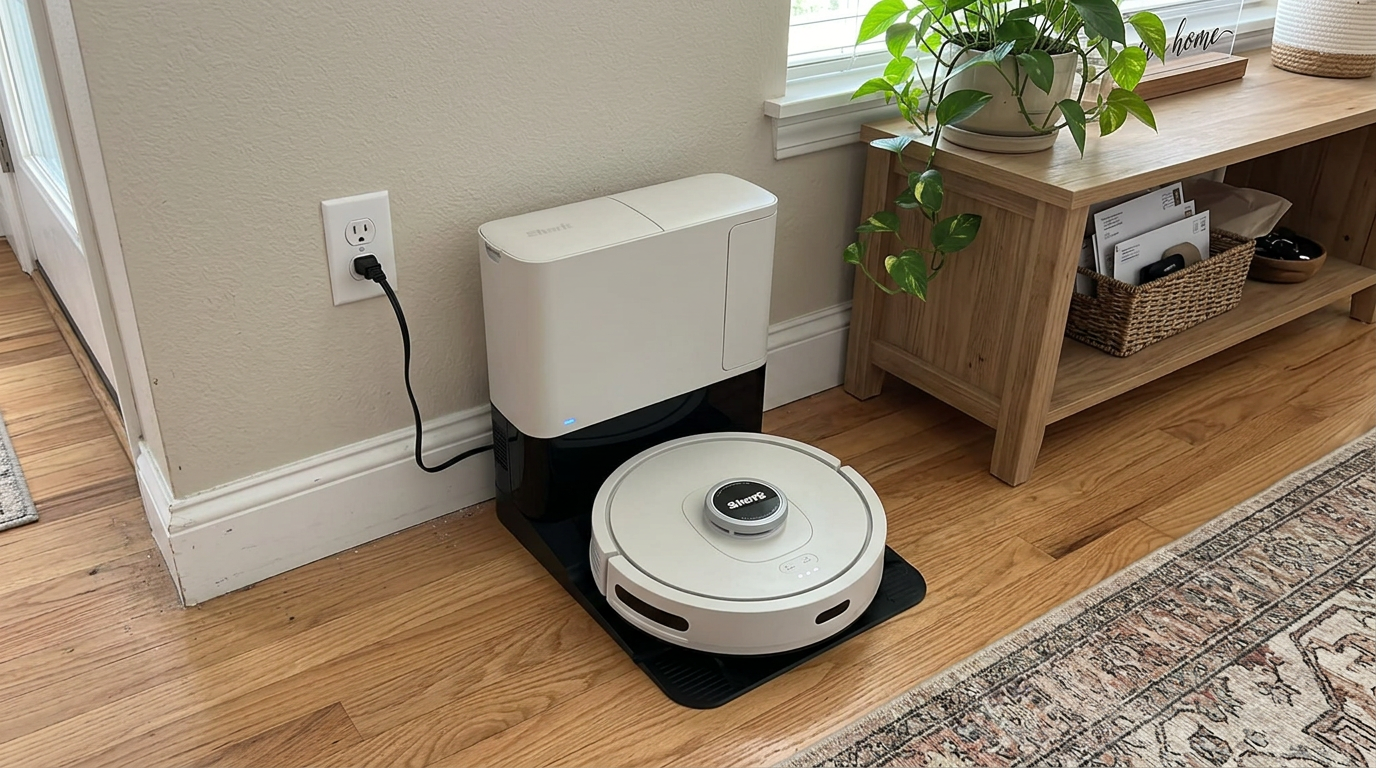
In this review
I like the Shark AV2501S AI Ultra because it focuses on the jobs most homes actually need done every day: picking up dust, crumbs and shed hair, then emptying itself without fuss.
Its bagless base means no bags to buy, the self-cleaning brushroll keeps long hair from wrapping, and the lidar map lets it clean room by room in tidy rows. Where it shows its age is on thick carpet, around cords and socks, and in the absence of any mopping. For pet owners with mostly hard floors who want a set-and-forget vacuum, it’s a sensible pick.
The short answer
- Buy it if you have mostly hard floors or low rugs, shed hair to deal with, and no interest in mopping.
- Its biggest strengths are the bagless self-empty base, the tangle-resistant brushroll and dependable lidar mapping.
- Its weak spots are deep carpet, small clutter on the floor and a feature list that newer robots have moved past.
- Prices on this model move around a lot, so check today’s price before you buy.
Shark AV2501S AI Ultra at a glance
Shark AV2501S AI Ultra pros and cons
- Bagless self-empty base with HEPA filtration
- Self-cleaning brushroll resists hair wrap
- Lidar mapping with room-by-room cleaning
- Matrix Clean grid pattern for extra coverage
- Recharge and resume on bigger floors
- Simple, approachable app
- No recurring bag costs
- No mopping at all
- Shark doesn’t publish suction in pascals
- Weaker on medium and thick carpet
- No camera-based obstacle avoidance
- Base is loud when it empties
- Bagless bin still needs a manual dump
Who should buy the Shark AV2501S AI Ultra?
- Pet owners with short or long shedding coats
- Homes with mostly hard floors
- Buyers who hate buying dust bags
- People who want a simple app
- Single-floor apartments and ranch homes
- Allergy-conscious households
- Homes with lots of plush carpet
- Anyone who wants mopping
- Floors covered in cables and toys
- Shoppers who want the latest features
How the AI Ultra rates in my research
I scored the AI Ultra by pulling together its official specs, published lab results and a large pile of owner feedback, then weighting each area by how much it matters day to day.
Hard-floor pickup and hair handling come out strong almost everywhere I looked. Owners regularly describe it as quiet while it cleans and rarely needing a rescue.
Carpet is where opinions split. Several published tests found it noticeably less effective on embedded carpet debris than on bare floors.
Smart features are adequate but basic. You get mapping, rooms and no-go zones, but not the camera recognition and fancier automations that newer robots bring.
Scores are my editorial ratings out of 10, based on specifications, published test data and owner reports.
My tip: If most of your home is carpet, weigh the carpet score more heavily than the overall number. On bare floors, this robot punches above its rating.
First impressions of the Shark AI Ultra
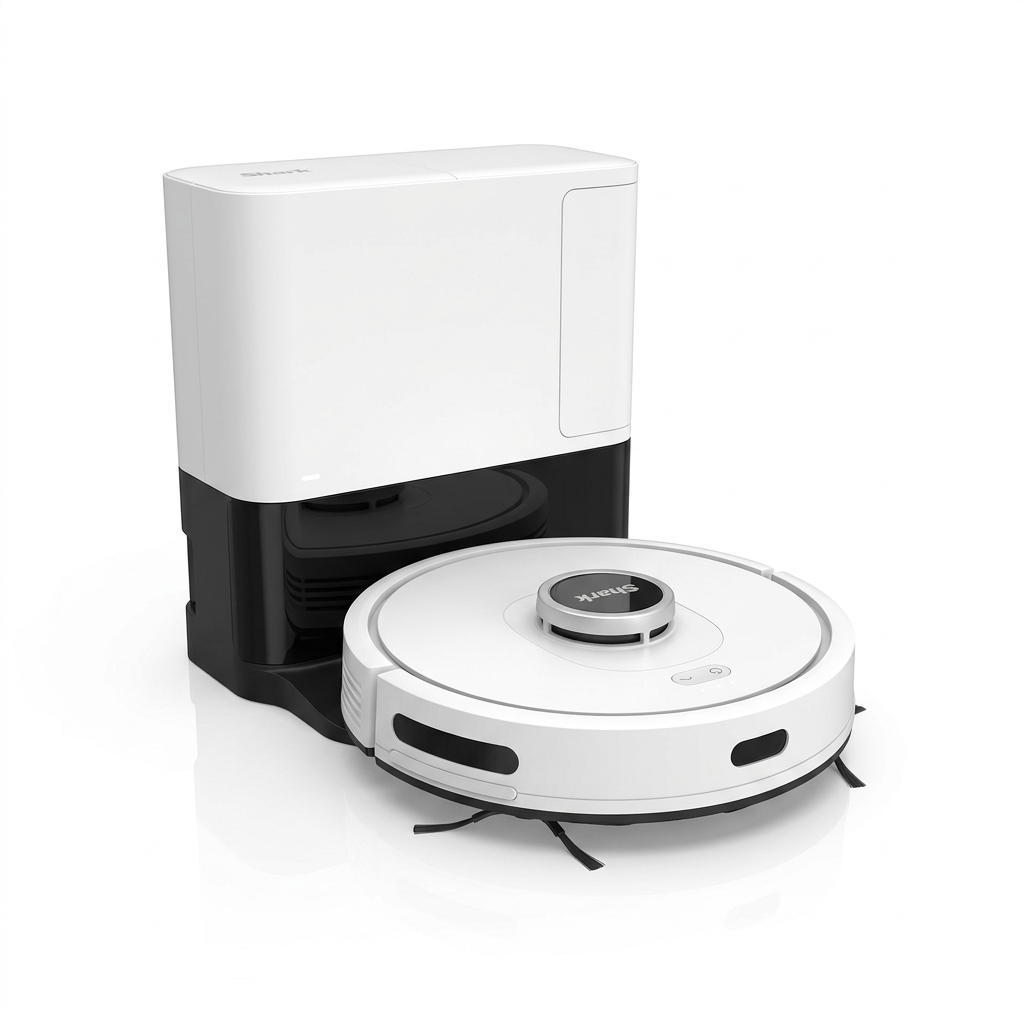
The first thing that stands out about the AI Ultra is how ordinary it looks, in a good way. It is a plain round disc with a lidar turret on top and a compact base that doesn’t dominate a room.
Setup is straightforward. You plug in the base, connect the robot to the Shark app over Wi-Fi, and send it on an exploration run so it can build its first map.
Owners consistently say the first map comes together quickly and accurately on a single floor. Once the map is saved, you can split and name rooms, then add no-go zones around pet bowls or a tangle of cords.
The base is the other big first impression. It is bagless, so there’s a clear bin you empty into the trash instead of a paper bag you have to replace.
That design choice will either delight or bother you. It saves money and waste, but you do see exactly what you’re emptying.
The bagless base holds weeks of debris before you dump the bin.
The robot itself stands about 4.1 inches tall with the turret. That is average for a lidar robot, so it clears many sofas and beds but not the lowest furniture.
What the Shark AV2501S AI Ultra is
The AV2501S is the vacuum-only member of Shark’s AI Ultra line. It pairs the robot with a bagless self-empty base that Shark rates for about 30 days of debris.
It doesn’t have a water tank, a mop pad or any wet cleaning mode. That keeps the robot simpler and the base smaller than the all-in-one docks that dominate the market now.
It also means you’ll still need to mop by hand or with a separate device. If wet cleaning matters to you, this model is not the one.
The main hardware
Inside you get a self-cleaning brushroll designed to shed hair as it spins, a side brush for edges and corners, and a filter in the robot that works with the HEPA filter in the base.
Shark advertises the base filter as capturing 99.97 percent of dust and allergens down to 0.3 microns. That matters most during emptying, when a cheap base can puff fine dust back into the room.
The robot runs on a rechargeable battery rated for up to 120 minutes, and it can return to charge mid-clean and then pick up where it left off.
The navigation
Navigation is based on 360° lidar, which spins a laser on top of the robot to measure distances to walls and furniture. It works in the dark and builds a precise floor plan.
Shark layers its Matrix Clean mode on top of that. Instead of a single pass, Matrix Clean runs the robot in a crisscross grid for areas that need extra attention.
What it leaves out
There is no front camera for recognizing small objects, no published suction rating, and no mopping hardware. Shark built a focused vacuum rather than a do-everything machine.
Shark’s feature names, decoded
Shark uses a lot of branded names on the box. Here is what each one actually means in plain English.
Shark AI Ultra base and design
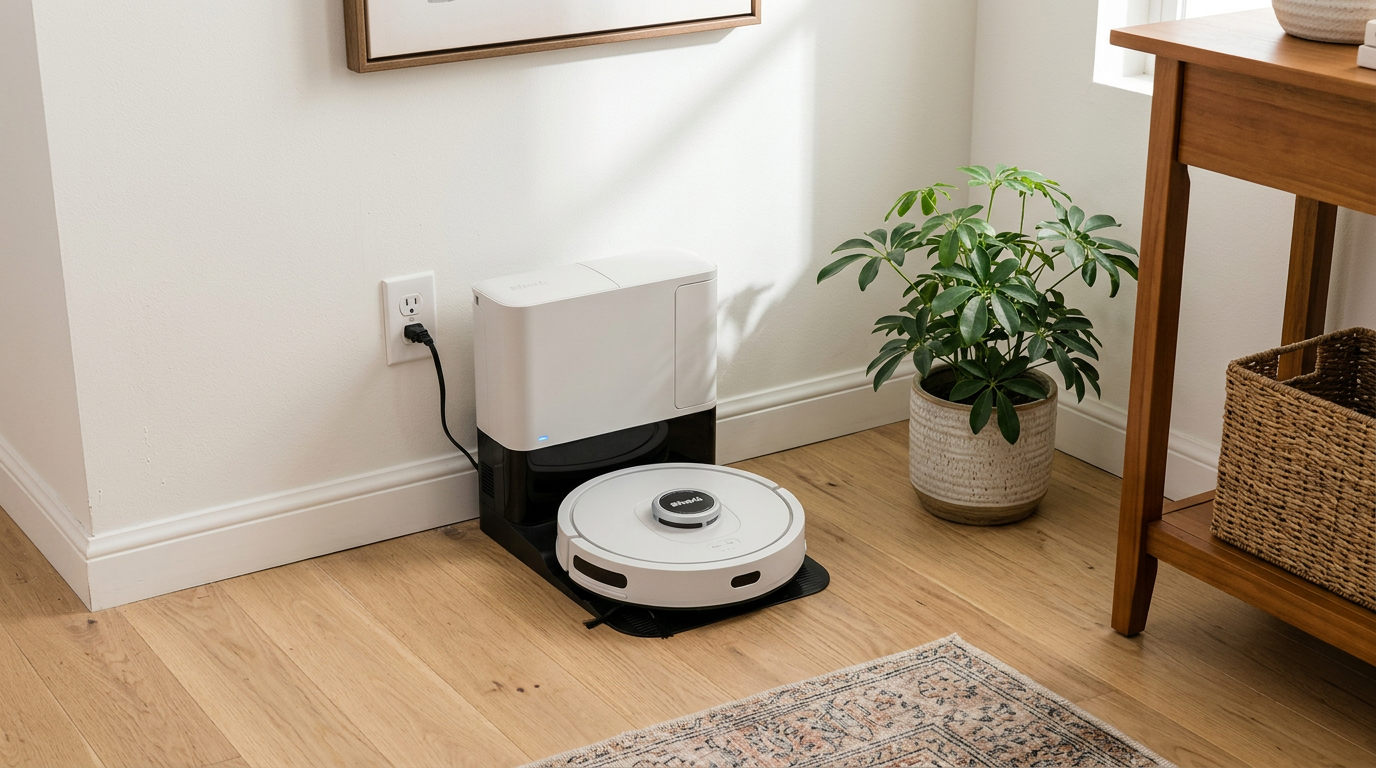
The base is the reason most people choose this robot. It is compact for a self-empty dock and doesn’t need a water supply, so it fits almost anywhere with an outlet.
When the robot docks, the base kicks on and pulls debris out of the onboard bin through a port in the bottom. That emptying cycle is short but loud, which is normal for this type of dock.
Because the bin is clear and bagless, you’ll see when it is full. Most owners empty it every few weeks, though homes with heavy-shedding pets may empty it more often.
The upside is zero bag costs for the life of the robot. The downside is a small puff of dust when you open the bin over the trash, so I’d empty it outside or straight into a bag if allergies are a concern.
My tip: Tap the bin gently against the inside of the trash can rather than shaking it. It keeps fine dust down and stops hair from clinging to the walls of the bin.
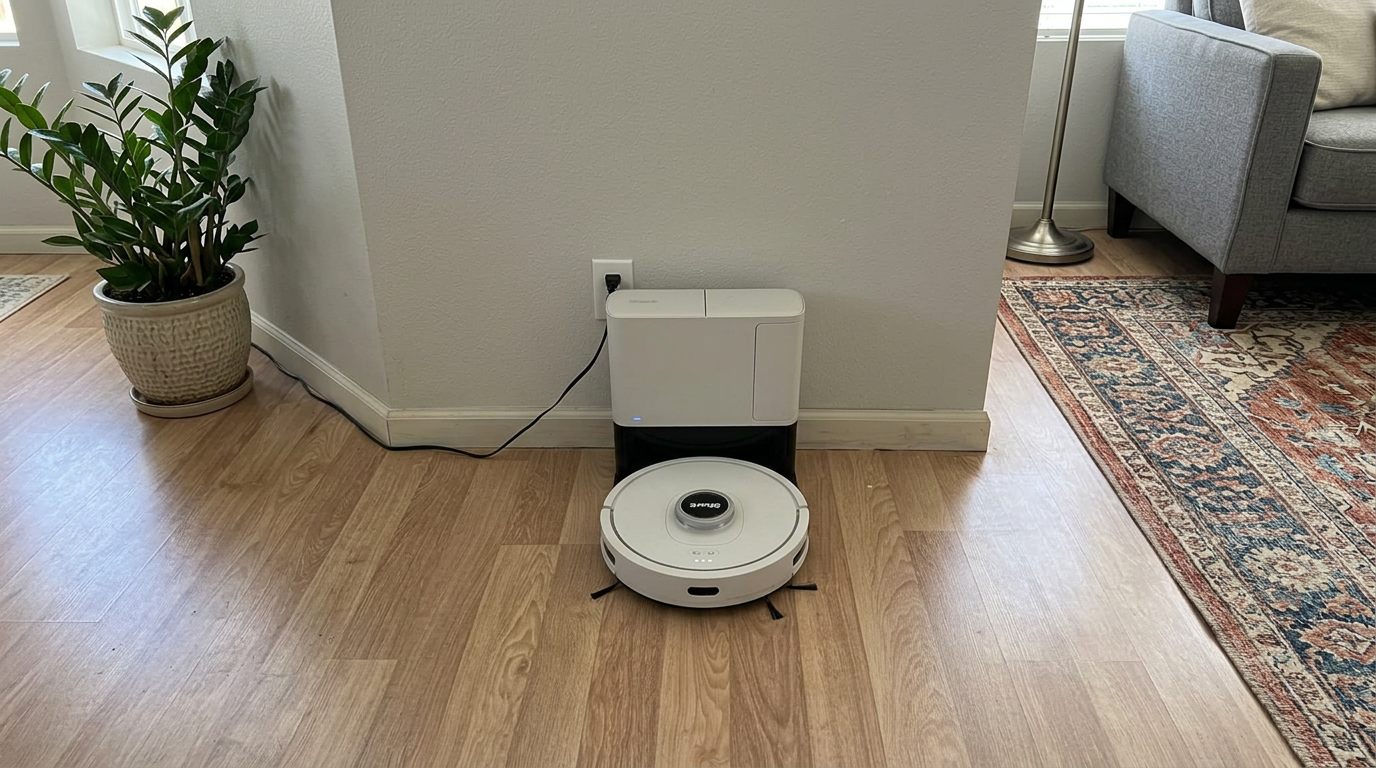
Hard floors are where the AI Ultra does its best work.
The robot itself is round, with a bumper around the front and the lidar turret on top. It is about 13.7 inches across, which is typical for a full-size robot.
There are no fancy finishes or extendable brushes here. It is a practical design that favors durability over flair.
Shark AI Ultra vacuuming performance
Shark doesn’t give a suction number in pascals, so the spec sheet won’t tell you much. The best evidence comes from published tests and what owners report after months of use.
Hard floors
On hardwood, tile, laminate and vinyl, the AI Ultra does very well. Owners describe it pulling up crumbs, sand, cereal and dust bunnies reliably, and Matrix Clean helps in kitchens and entryways where dirt collects.
The side brush sweeps debris out from baseboards, though like most round robots it doesn’t reach fully into square corners.
I’d set Matrix Clean for high-traffic rooms and a standard pass for the rest of the house. That balance keeps runtime in check without leaving dirty spots behind.
Low rugs and area rugs
On low-pile rugs, it performs well enough for daily upkeep. It climbs onto most rugs without trouble and picks up surface debris and hair.
Rugs with long fringe are a different story. Like many robots, it can chew on tassels, so I’d tuck them under or set a no-go zone along the edge.
Medium and thick carpet
This is the AI Ultra’s weak area. Several published tests found it noticeably less effective at pulling embedded debris out of carpet than at clearing bare floors.
It still keeps carpet looking tidy on the surface, but it won’t replace an occasional pass with an upright in a carpet-heavy home.
Edges
Edge cleaning is decent rather than impressive. The single side brush flicks debris toward the main brush, but very fine dust in corners can linger.
My tip: Run the robot daily on carpet rather than weekly. Frequent light passes stop debris from working its way deep into the pile, which plays to this robot’s strengths.
Pet hair and tangled hair
Hair is where the AI Ultra earns its reputation. Its self-cleaning brushroll uses built-in combing to strip hair off the brush as it spins, which keeps long strands from wrapping into a tight mat.
Owners with dogs and cats repeatedly mention that they rarely need to cut hair off the brush, which is a common chore with older robots.
It isn’t perfect. Very long human hair can still wind around the ends of the brush or the side brush, so a quick check every week or two is a good habit.
The bagless base is also handy for pet homes. You can see how much fur has collected and empty it before it gets packed tight.
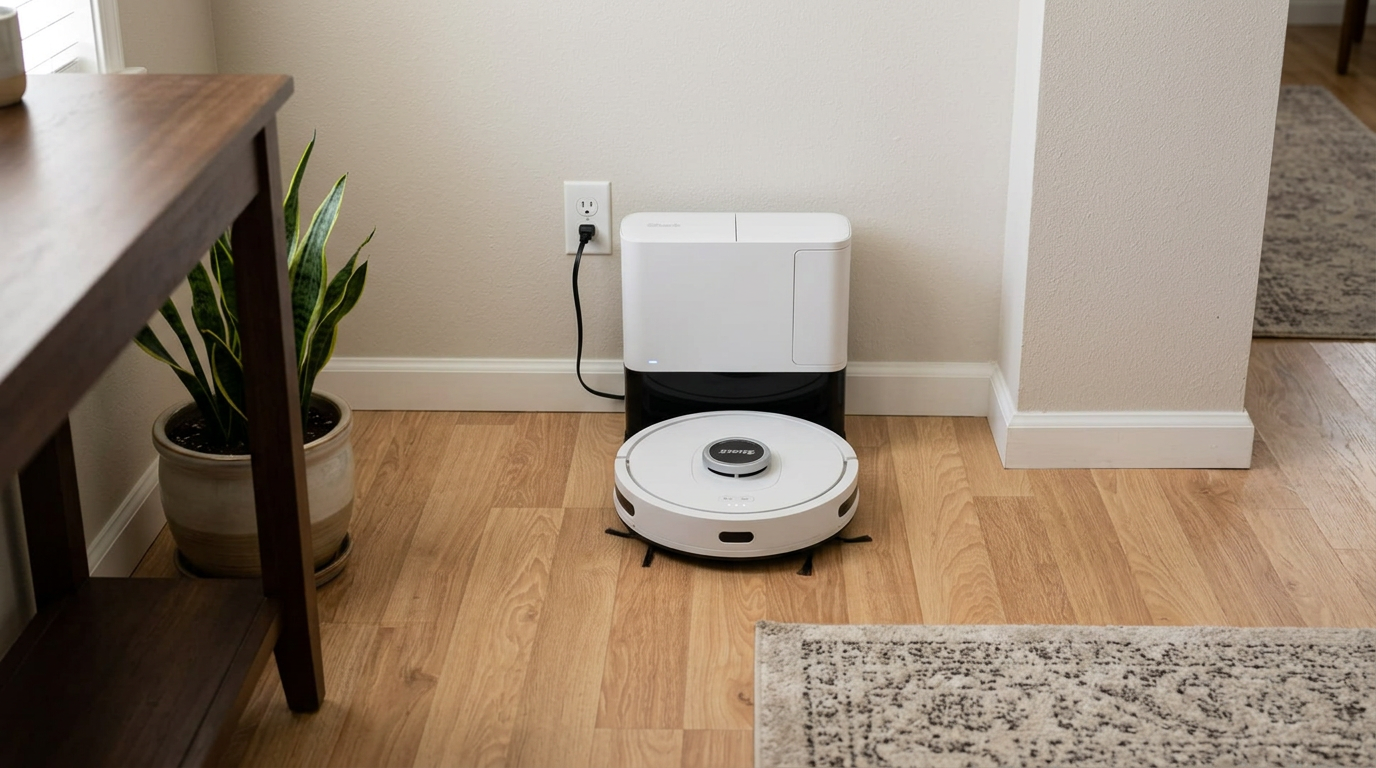
The self-cleaning brushroll is designed to shed hair instead of wrapping it.
For heavy shedders, I’d schedule a daily run during the season when your pet blows its coat. Daily pickup keeps hair from drifting into corners and under furniture.
My tip: Pull the side brush off every couple of weeks and remove the hair wrapped around its hub. It takes a minute and keeps the brush spinning at full speed.
Navigation, mapping and obstacles
The 360° lidar is the AI Ultra’s best smart feature. It builds an accurate map, cleans in neat rows, and knows where it has been, so it doesn’t wander randomly like budget robots.
Room-by-room cleaning works well once you’ve named rooms in the app. You can send it to the kitchen after dinner or skip a bedroom where someone is sleeping.
Obstacle handling
Obstacle avoidance is the weak link. The AI Ultra relies on its bumper and basic sensors rather than a camera, so it can bump into small objects or try to swallow socks, charging cables and pet toys.
Larger furniture is no problem. It is the small, low stuff on the floor that trips it up.
Multiple floors
I’d treat this as a one-floor robot. If you move it upstairs, you’ll also want to move the base, and the experience is smoother in homes where it lives on one level.
Getting stuck
Owners report few stuck events on clear floors, but chair legs in tight clusters and very low furniture with a lip can catch it. A little prep before runs goes a long way.
My tip: Do a 60-second floor sweep for cords and socks before scheduled runs. It is the single biggest factor in whether this robot finishes a job on its own.
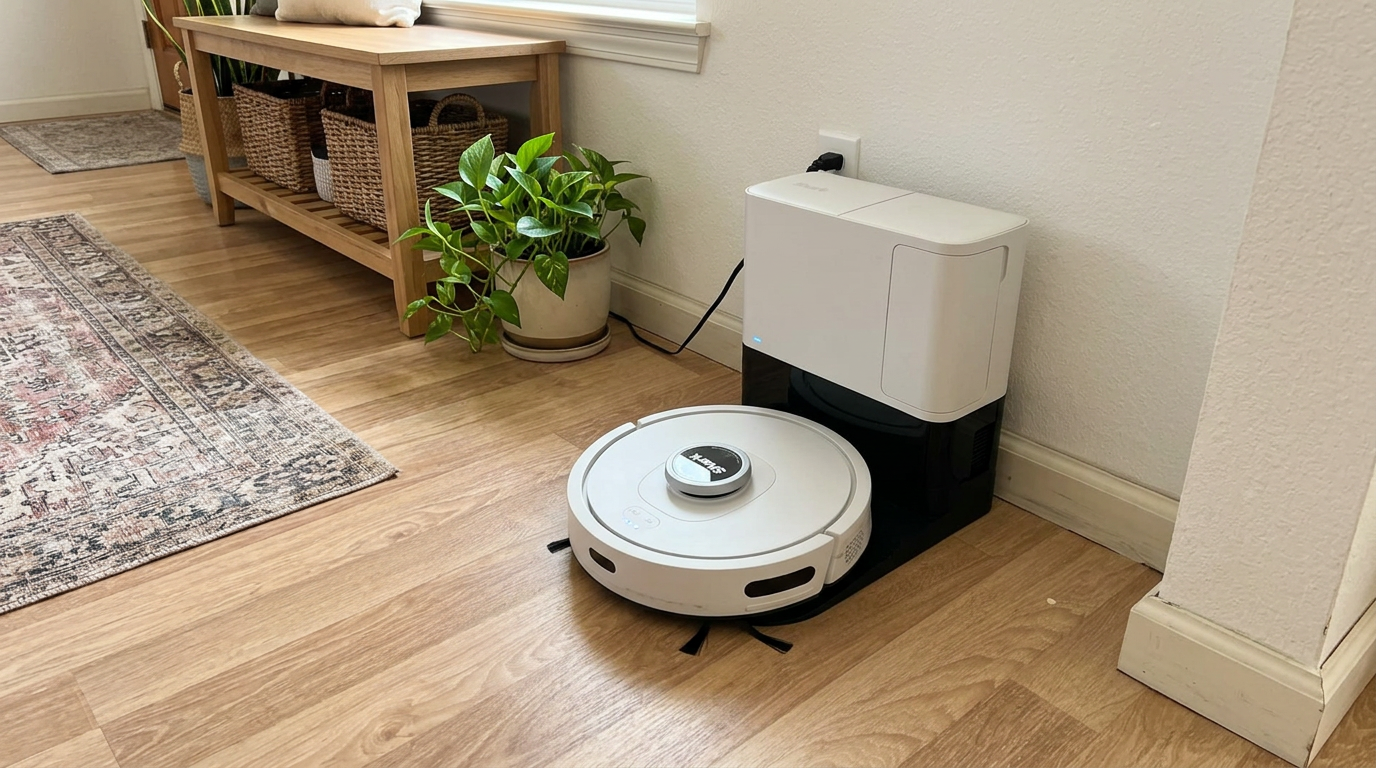
Lidar mapping lets it clean in rows and target individual rooms.
Battery, app and smart home
Shark rates the AI Ultra for up to 120 minutes of runtime. Real-world numbers depend on your floors and whether you use Matrix Clean, which takes longer because it covers ground twice.
Recharge and resume means bigger homes aren’t a problem. The robot heads back to the base when it runs low, recharges, and returns to finish the job.
The Shark app is simple and approachable. You’ll find scheduling, room selection, no-go zones, a cleaning history and Matrix Clean in a clean layout.
Power users may find it a bit thin. There are fewer custom routines and detailed per-room settings than in the apps of newer, pricier robots.
It works with Alexa and Google Assistant for voice commands, so you can start or stop a clean without opening the app.
The robot needs a 2.4 GHz Wi-Fi network to connect. If your router combines bands under one name, setup can take an extra try.
My tip: Schedule runs for when the house is empty. The base’s emptying cycle is loud, and you’ll appreciate not hearing it during a video call.
How loud is the Shark AI Ultra?
There are really two noise stories with this robot. The robot itself is fairly quiet while it vacuums, and many owners say they can run it while watching TV in the next room.
The base is the loud part. Every self-empty dock makes a short, sharp burst of noise when it pulls debris out of the robot, and the AI Ultra base is no exception.
That burst only lasts a few seconds, but it can startle pets the first few times. Most dogs and cats get used to it within a week or two.
If you work from home, scheduling matters more than the decibel rating. Run the robot while you’re out, and the emptying cycle will happen while nobody is around to hear it.
My tip: If your pet is nervous, run the first few cleans while you’re home and calm. Pairing the sound with a treat speeds up the adjustment.
Living with the AI Ultra over the long run
Long-term owner reports are the most useful thing to read before buying any robot vacuum, because problems tend to show up after months rather than days.
The good news is that the AI Ultra has a long track record. It has been on the market for a while, which means there is plenty of feedback from owners who have run it daily for a year or more.
The most common long-term story is a robot that keeps doing its job with basic maintenance. Owners who replace filters and brushes on schedule tend to report steady performance.
The most common complaints are wear items. Side brushes fray, filters clog, and batteries slowly hold less charge after a few years of daily runs.
A smaller group of owners mention the robot losing its map or needing a fresh exploration run after a firmware update. It is annoying, but it is usually fixed in one cleaning cycle.
Parts availability is a quiet advantage here. Because the AI Ultra line is widely sold, replacement filters, brushes and batteries are easy to find.
What changes after the first month
In the first weeks, most people run the robot constantly because it’s new. After a month, the routine usually settles into a daily or every-other-day schedule.
That is when the bagless base shows its value. You stop thinking about it, empty the bin every few weeks, and the robot quietly keeps floors under control.
Daily runs keep shed hair from building up between deeper cleans.
Living without a mop: is vacuum-only enough?
It is fair to ask whether a vacuum-only robot still makes sense when so many robots now mop as well.
For a lot of homes, the honest answer is yes. Dry debris like dust, hair, crumbs and tracked-in grit makes up most of what ends up on the floor every day.
A vacuum-only robot that handles that reliably will make your floors look clean most of the time. You can then mop by hand once a week or whenever there’s a spill.
Vacuum-only robots also skip the hassle of water tanks, dirty pads and docks that need refilling. Fewer moving parts can mean fewer things to go wrong.
Where a mopping robot pulls ahead is in kitchens, entryways with muddy paws, and homes with light-colored tile that shows every footprint.
If that sounds like your house, a combo model will save you more time overall. If not, the AI Ultra’s simplicity is a feature rather than a drawback.
What owners say about the AI Ultra
Owner feedback on this model is large and broadly positive, with a consistent set of praises and complaints.
- Strong pickup on hard floors and pet hair
- Rarely needs a rescue on clear floors
- No bags to buy for the base
- Quiet while it vacuums
- Easy setup and a simple app
- Loud emptying cycle
- Struggles with cords, socks and small toys
- Less impressive on thick carpet
- Occasional mapping hiccups after moving furniture
The pattern is clear. People who bought it for pet hair on hard floors tend to be happy, while people with plush carpet or cluttered floors tend to be less impressed.
Mapping resets and long-term wear
A recurring complaint is the map needing a refresh after big furniture changes or a firmware update. Re-running an exploration clean usually fixes it.
As with any robot, brushes, filters and the battery wear over time. Buying replacement parts on a regular schedule keeps performance from slowly fading.
Where the Shark AI Ultra fits best
Apartments and single-floor homes
This is the sweet spot. A one-level home with mostly hard floors lets the lidar map and room cleaning shine.
The compact base also fits well in smaller spaces, since it doesn’t need water tanks.
Pet households
If you have a dog or cat that sheds, the self-cleaning brushroll and bagless base make daily hair control easy.
Carpet-heavy homes
I’d look elsewhere if most of your floors are medium or thick carpet. It keeps the surface tidy, but stronger robots pull more out of the pile.
Busy, cluttered homes
Homes with kids’ toys and cables everywhere need a robot with camera-based avoidance. The AI Ultra will work, but only if you tidy first.
Running costs to plan for
The bagless base is the AI Ultra’s biggest long-term saving. You won’t be buying dust bags every couple of months.
You will still replace filters, brushes and eventually the battery. Here is how I’d think about relative costs.
| Consumable | Relative cost |
|---|---|
| Dust bags | None, bagless base |
| Base and robot filters | Low |
| Side brushes | Low |
| Main brushroll | Medium |
| Battery | Medium, after a few years |
Relative cost over a typical year of daily use. Exact replacement intervals depend on your home and pets.
Filters are the part people forget most. A clogged filter quietly reduces airflow, which makes pickup look worse over time.
I’d replace side brushes when the bristles splay out, and check the brushroll bearings for hair every month.
My tip: Buy a multipack of filters and side brushes up front. It is usually cheaper per piece, and you’ll actually swap them on time.
How to get the best results from the Shark AI Ultra
- Map with doors open
Let the first exploration run cover every room so the map is complete.
- Name and split rooms
Clean, accurate room names make scheduling and voice commands easy.
- Draw no-go zones
Block pet bowls, cord nests and rug fringe right away.
- Use Matrix Clean selectively
Save the grid pattern for kitchens and entryways.
- Clear the floor
Pick up socks, cables and small toys before scheduled runs.
- Empty the bin early
Don’t let the bagless bin pack tight, or suction at the base suffers.
- Clean the sensors
Wipe the lidar window and cliff sensors with a dry cloth monthly.
A sensible cleaning schedule for the AI Ultra
- Daily: high-traffic rooms
Run the kitchen, entryway and living room every day, especially in shedding season.
- Every few days: whole home
A full standard pass keeps bedrooms and hallways under control.
- Weekly: Matrix Clean
Run the grid pattern on the dirtiest rooms for a deeper clean.
- Every few weeks: maintenance
Empty the base bin, clear the brushroll ends and wipe the sensors.
What I’d check before buying the AI Ultra
A few questions will tell you quickly whether this robot suits your home.
Do you need mopping?
If yes, stop here. The AV2501S is vacuum-only, and you’d be better served by a combo model.
How much carpet do you have?
A few rugs are fine. Wall-to-wall plush carpet calls for a robot with published, higher suction.
How cluttered are your floors?
Without camera-based avoidance, this robot needs a tidy floor. Be honest about whether you’ll pick up first.
How low is your furniture?
Measure under sofas and beds. At about 4.1 inches tall, it won’t fit under the lowest pieces.
Is your Wi-Fi 2.4 GHz?
The robot needs a 2.4 GHz network. Most routers support it, but check before setup day.
Do you mind a bagless base?
You’ll empty a bin into the trash every few weeks. If you prefer sealed bags for allergies, consider that trade.
My tip: Check which exact model number you’re buying. Shark sells several AI Ultra versions with different bases, and the bundles change often.
Is the Shark AV2501S AI Ultra worth the money?
The AI Ultra makes the most sense when you value simplicity and low running costs over the newest features.
You get the essentials done well: lidar mapping, room cleaning, a tangle-resistant brushroll and a base that saves you from buying bags.
What you don’t get is mopping, camera-based avoidance or published suction. Those features have become common in newer robots, and they matter if your home is carpeted or cluttered.
Because this model is often discounted, its value depends heavily on what it costs on the day you buy. At a good sale price, it is a strong pick for pet hair on hard floors.
At full price, I’d compare it carefully with newer models that add mopping or better avoidance for not much more.
My bottom line is that this is a solid, dependable vacuum rather than a cutting-edge one. If that’s what you want, it delivers.
Shark AI Ultra vs Roomba 105 Vac
The closest rival is the iRobot Roomba 105 Vac, another vacuum-only lidar robot with a self-empty option. Here is how they line up.
| Shark AI Ultra | Roomba 105 Vac | |
|---|---|---|
| Navigation | 360° lidar | Lidar |
| Mopping | No | No |
| Base | Bagless, about 30 days | Bagged AutoEmpty, up to 75 days |
| Brushroll | Self-cleaning, hair-shedding | Single roller |
| Obstacle avoidance | Basic | Basic |
| Published suction | Not published | 7,000 Pa |
The Shark is my pick for heavy pet hair thanks to its self-cleaning brushroll and bagless base.
The Roomba makes more sense if you prefer sealed bags for allergies and want a longer stretch between emptying.
Shark AV2501S AI Ultra specifications
Specifications from Shark and retail listings. Runtime varies with floor type and cleaning mode.
Best Shark AV2501S AI Ultra alternatives
If the AI Ultra isn’t quite right, these are the robots I’d look at next.
Each one fixes a specific weakness, whether that’s mopping, carpet power or a longer time between emptying.
If you’re open to a bigger step up, a full all-in-one robot with a washing dock will also handle your mopping.
How I researched and rated the Shark AI Ultra
This is a researched review. I based my verdict on Shark’s published specifications, independent test data and a large sample of owner reviews collected over months of ownership.
I scored it in these areas:
- Pickup on hard floors, rugs and carpet
- Hair handling and brush maintenance
- Navigation, mapping and obstacle handling
- Base convenience, running costs and app quality
Where sources disagreed, I gave more weight to repeatable test results and to patterns that showed up across many owners rather than one-off reports.
Shark AV2501S AI Ultra FAQ
Does the Shark AV2501S mop?
No. The AV2501S is a vacuum-only robot with no water tank or mop pad.
Is the AV2501S base bagless?
Yes. It uses a bagless self-empty base with HEPA filtration, so you empty a bin instead of buying bags.
How long does the battery last?
Shark rates it for up to 120 minutes. It can recharge and resume to finish larger homes.
Is it good for pet hair?
Yes. Its self-cleaning brushroll is designed to shed hair as it spins, which makes it one of its strongest areas.
Does it work on carpet?
It handles low rugs well, but it is less effective on medium and thick carpet than on hard floors.
Does it avoid obstacles?
It avoids furniture, but it lacks camera-based recognition, so it can bump into cords, socks and small toys.
Does it work with Alexa?
Yes. It works with Alexa and Google Assistant.
How tall is the Shark AI Ultra?
About 4.1 inches including the lidar turret.
Is the Shark AV2501S worth it?
It is a good value for pet hair on hard floors, especially on sale. Skip it if you want mopping or have lots of plush carpet. check today’s price.


- Shark product specifications for the Shark AV2501S AI Ultra
- Published independent test results
- Owner reviews and long-term owner discussions
- Amazon product listing for the Shark AV2501S AI Ultra
- Review first published.