iRobot Roomba 105 Combo review: an entry Roomba that finally maps with lidar
The Roomba 105 Combo brings ClearView lidar mapping to iRobot’s entry-level lineup, along with vacuum-only, mop-only and combined modes and a carpet sensor that keeps it off rugs while mopping. It is easy to set up and pleasant to use day to day. Its mop is a basic pad, it lacks camera-based obstacle avoidance, and its brush isn’t built for long hair.
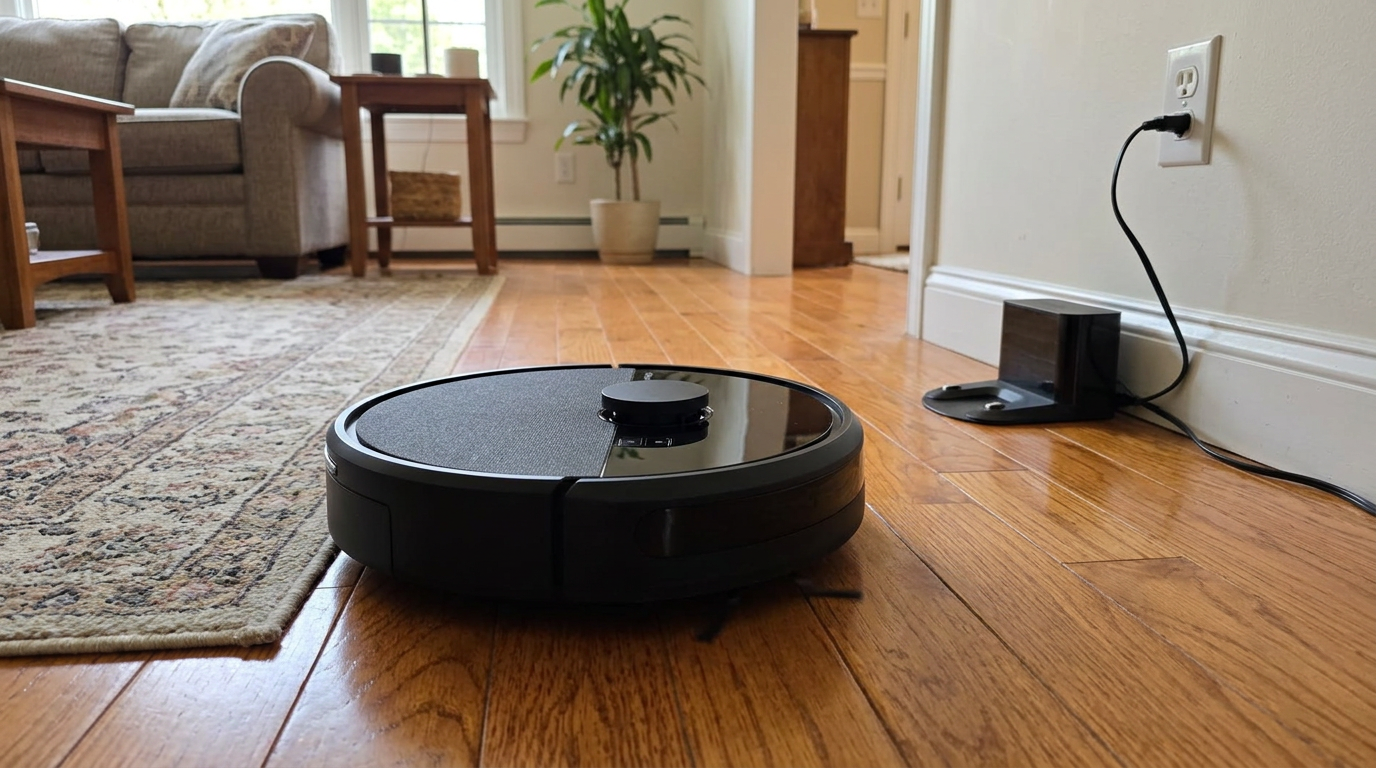
In this review
I like the iRobot Roomba 105 Combo because it gives you modern lidar navigation and a simple, flexible mop in a Roomba that’s easy for anyone in the house to use.
It cleans in neat rows, lets you pick rooms, and knows to stay off rugs when the mop is attached. It isn’t a heavy-duty scrubber or a hair specialist, and it can stumble over cords and socks. For small to mid-size homes with mostly hard floors, it’s a dependable everyday cleaner.
The short answer
- Buy it if you want an easy Roomba with lidar mapping and light mopping for mostly hard floors.
- Its biggest strengths are accurate mapping, flexible cleaning modes and carpet detection while mopping.
- Its weak spots are basic obstacle avoidance, a simple mop pad and a brush that tangles with long hair.
- Bundles and prices change often, so check today’s price before you buy.
iRobot Roomba 105 Combo at a glance
iRobot Roomba 105 Combo pros and cons
- ClearView lidar maps quickly and accurately
- Vacuum-only, mop-only or combined modes
- Avoids rugs automatically while mopping
- Room, zone and spot cleaning in the app
- Four suction levels and one or two passes
- Optional AutoEmpty dock bundle
- Works with Alexa and Google Assistant
- No camera-based obstacle avoidance
- Mop is a basic microfiber pad
- Mop doesn’t lift, it avoids rugs instead
- Single brush isn’t anti-tangle
- Single non-extending side brush
- Combo bin holds less debris
Who should buy the iRobot Roomba 105 Combo?
- First-time robot owners
- Mostly hard floors with a few rugs
- People who like simple apps
- Light, regular mopping
- Families who want a familiar brand
- Homes that want room-by-room cleaning
- Long-haired pets and people
- Cluttered floors
- Sticky kitchens that need scrubbing
- Carpet-heavy homes
How the Roomba 105 Combo rates in my research
I scored the Roomba 105 Combo by combining iRobot’s published specs with independent test data and a large sample of owner reviews.
Navigation is the clear highlight. Lidar is a big step for iRobot’s entry-level robots, and owners notice the faster mapping and tidier cleaning paths right away.
Mopping is useful but basic. It wipes floors with a damp microfiber pad rather than scrubbing, so it’s best for light maintenance.
Hair handling is the weak spot. Without an anti-tangle brush design, long hair wraps around the brush and needs cutting out.
Scores are my editorial ratings out of 10, based on specifications, published test data and owner reports.
My tip: If you have long-haired pets, weigh the hair score heavily. If you have short-haired pets or none, the overall score undersells this robot.
First impressions of the Roomba 105 Combo
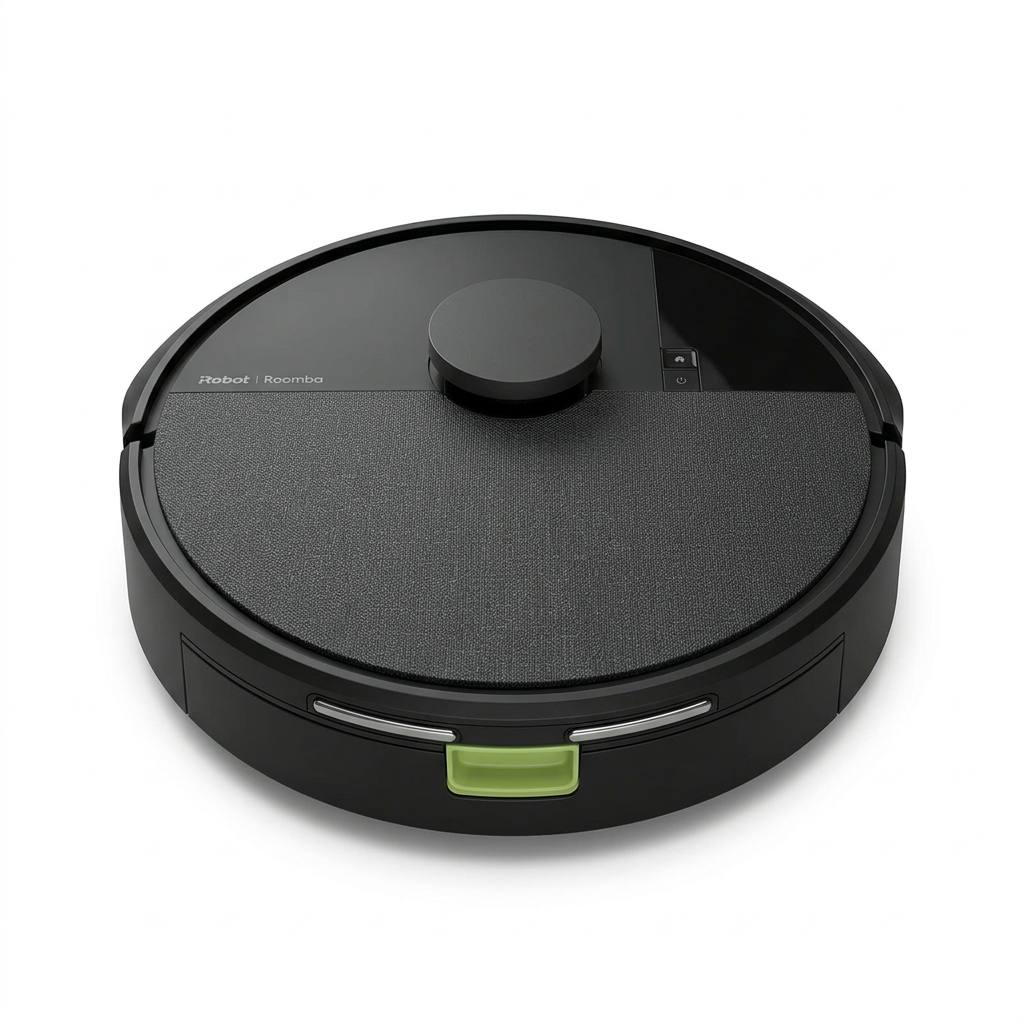
The Roomba 105 Combo looks clean and modern, with a lidar turret on top and finishes that blend in with most home décor.
Setup is classic iRobot: plug in the dock, download the Roomba Home app, connect to Wi-Fi and run the first mapping clean.
Lidar lets the 105 Combo clean in tidy rows.
Owners consistently describe the first map coming together quickly. Many people upgrading from older bump-and-go Roombas say this is the biggest difference they notice.
Once the map is saved, you can name rooms, set no-go zones and schedule cleans. The app is simple enough that everyone in the house can use it.
The combo design is easy to understand. You fill the water tank in the bin, attach the mop pad, and pick whether to vacuum, mop or do both.
What the iRobot Roomba 105 Combo is
The Roomba 105 Combo is iRobot’s entry-level vacuum and mop robot. It sits in a family that also includes a vacuum-only version and bundles with either a basic charging dock or an AutoEmpty dock.
That means the robot you get depends on the listing. Read it carefully to see whether your bundle includes self-emptying.
The cleaning system
iRobot calls it 4-Stage Cleaning: an edge-sweeping brush, a multi-surface brush, power-lifting suction and a microfiber mop pad. iRobot says suction is 70 times stronger than its older 600 series.
You can choose between four suction levels and one or two cleaning passes. That flexibility is handy for quick daily runs versus deeper weekly cleans.
The mop
The mop is a microfiber pad attached under the robot, fed by a water tank built into the bin. It can use water or a compatible cleaning solution.
When mopping, the robot detects carpet and avoids it. It doesn’t lift the pad over rugs, so it simply cleans around them in mop modes.
What it leaves out
There’s no camera for spotting small objects, no spinning mop pads and no washing dock. It is a focused, affordable Roomba rather than a premium all-in-one.
iRobot’s feature names, decoded
iRobot uses several branded names. Here is what each one means in plain terms.
Roomba 105 Combo dock and design
The robot is a familiar round Roomba shape, about 13.2 inches across and 4.1 inches tall including the lidar turret.
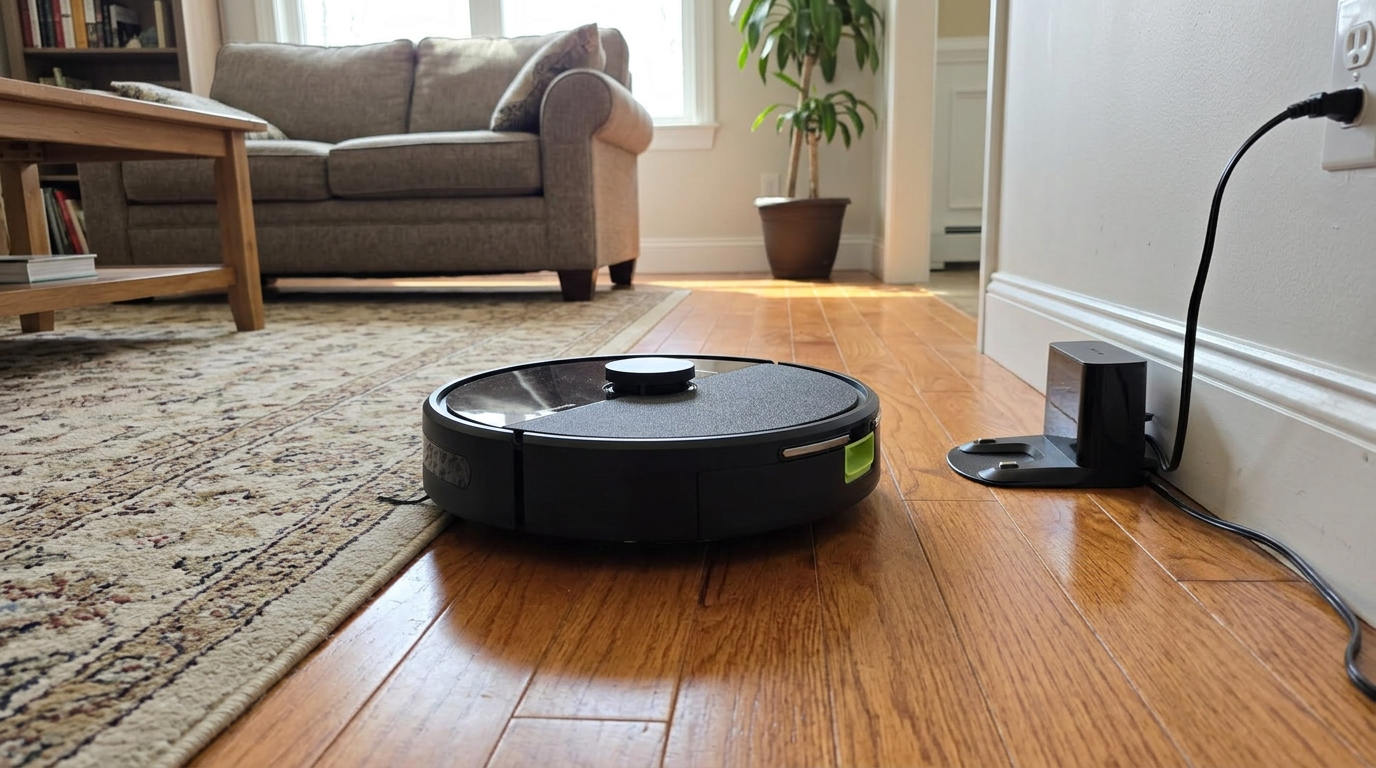
The dock depends on your bundle. The basic version simply charges the robot, while the AutoEmpty version also pulls debris into a sealed bag.
If you can choose, I’d go for the AutoEmpty dock. Emptying a small combo bin by hand after every run gets old quickly.
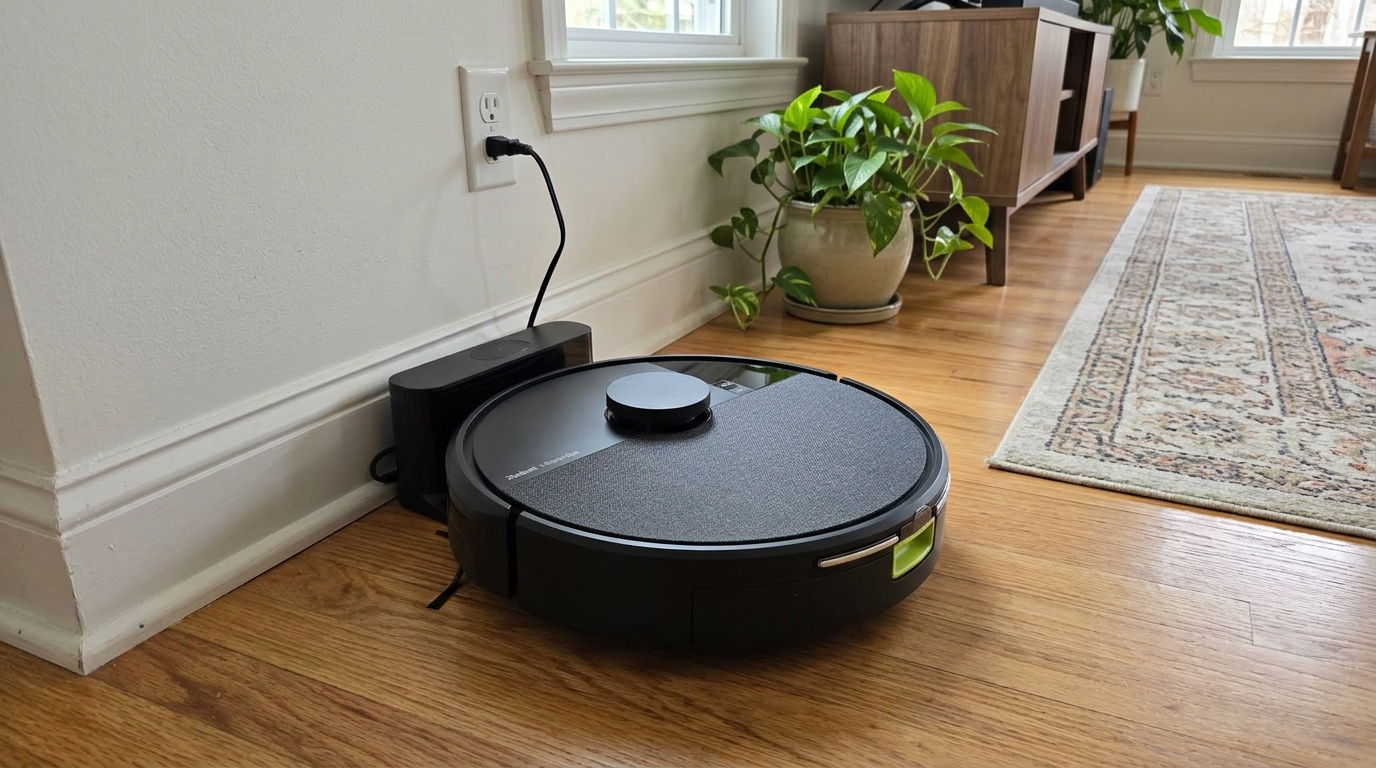
The microfiber pad keeps hard floors fresh between deeper cleans.
The AutoEmpty dock is louder for a few seconds when it empties, which is normal for self-empty bases. Bags seal shut when you remove them, which is nice for allergies.
My tip: Leave a couple of feet of clear space in front of the dock. Lidar robots dock more reliably when the approach is open.
The combo bin holds both debris and water, so it carries less dirt than a vacuum-only bin. That is another reason the AutoEmpty bundle pairs well with this robot.
Roomba 105 Combo vacuuming performance
iRobot doesn’t lead with a pascal rating for this model. Instead, the evidence comes from published tests and owner experiences.
Hard floors
On hard floors, the 105 Combo does a solid job. Owners report clean kitchens and living rooms after daily runs, with crumbs, dust and light debris picked up reliably.
Its straight-row cleaning means fewer missed strips than older random-path Roombas, which is a visible improvement on bare floors.
Rugs and carpet
On low rugs, it keeps the surface tidy. You can set higher suction for carpeted rooms in the app.
On thicker carpet, it is adequate rather than impressive. It is built for maintenance cleaning, not deep carpet extraction.
Edges and corners
The single edge brush sweeps along baseboards, but it doesn’t extend into corners. Expect a little dust in tight corners over time.
Two-pass cleaning
Setting two passes is the easiest way to boost results. The robot covers each area twice, which helps in kitchens and entryways.
My tip: Use two passes for the kitchen and one pass elsewhere. You get deeper cleaning where it matters without doubling the runtime everywhere.
Pet hair and tangled hair
Hair is the Roomba 105 Combo’s weakest area. Its main brush is a single roller without a dedicated anti-tangle design.
Short pet hair is generally fine. The robot picks it up and sends it to the bin or dock.
Long hair is a different story. Owners with long-haired dogs or long human hair report it wrapping around the brush, which needs cutting out regularly.
iRobot includes a hair-cutting tool in some bundles, which tells you something about how often you might need it.
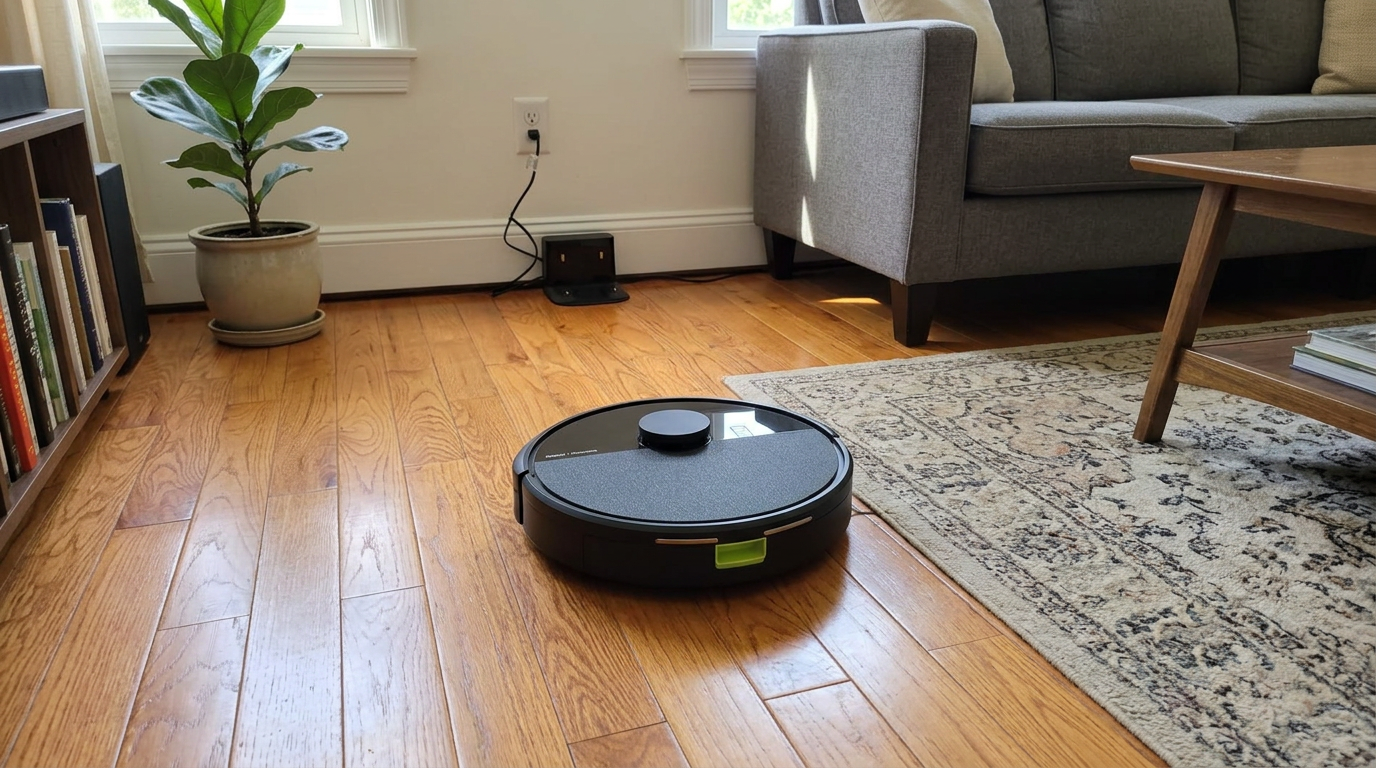
Check the main brush weekly if you have long hair in the house.
My tip: Make brush cleaning part of your weekly routine. Five minutes with the cutting tool keeps the brush spinning freely and pickup strong.
Roomba 105 Combo mopping performance
The mop is a flat microfiber pad, fed by the water tank in the bin. It wipes the floor as the robot drives.
It does a good job of removing light dust, footprints and general film. Floors look and feel fresher after a combined run.
It doesn’t scrub hard. There’s no spinning or vibration, so sticky spills and dried-on food usually need a manual touch-up.
Carpet detection
The best part of the mopping system is that it detects rugs and avoids them. You don’t have to draw no-mop zones around every rug.
The catch is that it avoids rugs rather than lifting the mop. In mop modes, rugs won’t be vacuumed, so run a separate vacuum-only clean for carpeted areas.
Modes
You can choose vacuum only, mop only, or vacuum and mop together. For most homes, combined mode on hard-floor rooms plus a vacuum-only run elsewhere works best.
My tip: Rinse the mop pad after each run and let it air-dry. A fresh pad mops better and doesn’t leave smells behind.
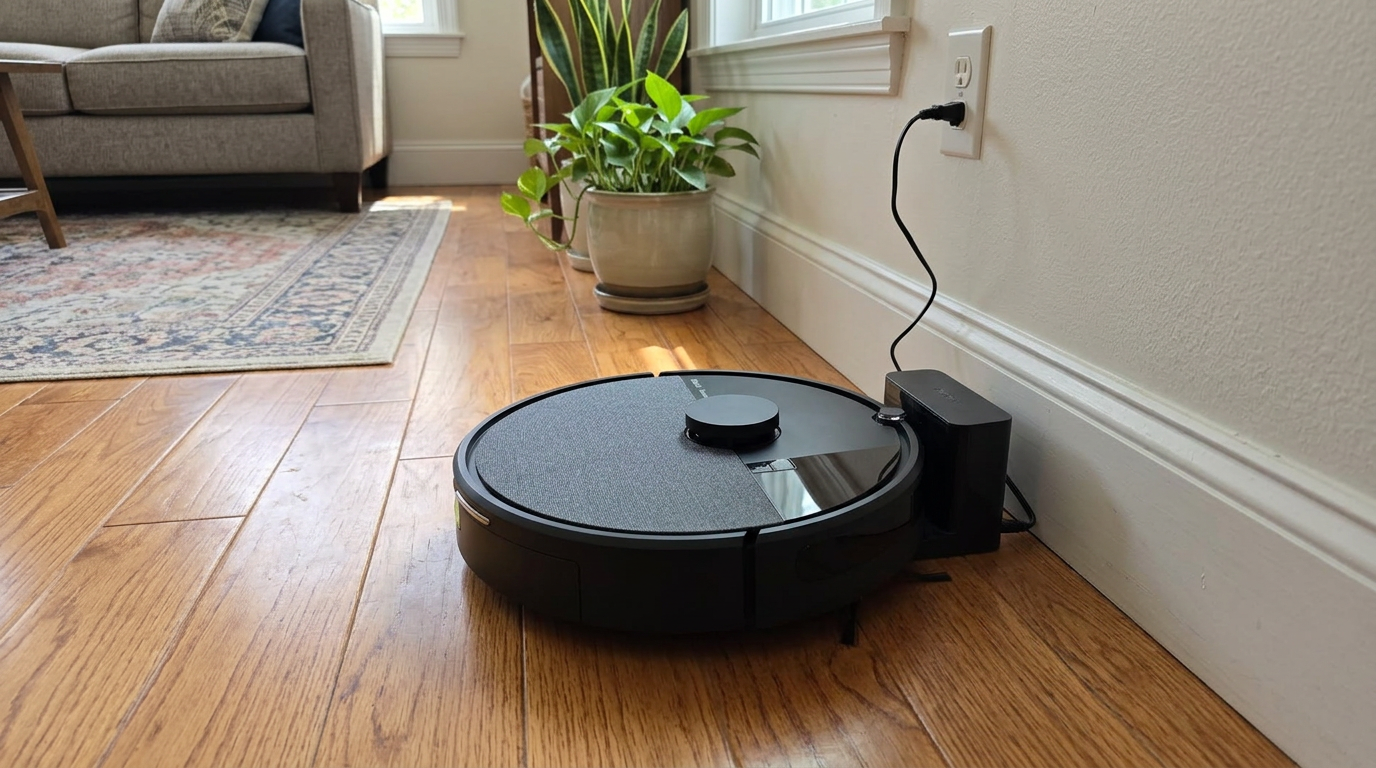
In mop modes, the 105 Combo detects rugs and cleans around them.
Battery, app and smart home
Battery life is suited to small and mid-size homes. Mopping and higher suction levels use more power, so runtime varies by settings.
If the battery runs low mid-clean, the robot returns to the dock and resumes once it has recharged.
The Roomba Home app is one of the friendliest robot apps around. It is simple to schedule cleans, select rooms and change suction and pass settings.
It works with Alexa and Google Assistant, so you can start a clean or send the robot home by voice.
Some owners mention setup taking longer than expected, usually because of Wi-Fi pairing. Make sure your phone is on the same 2.4 GHz network during setup.
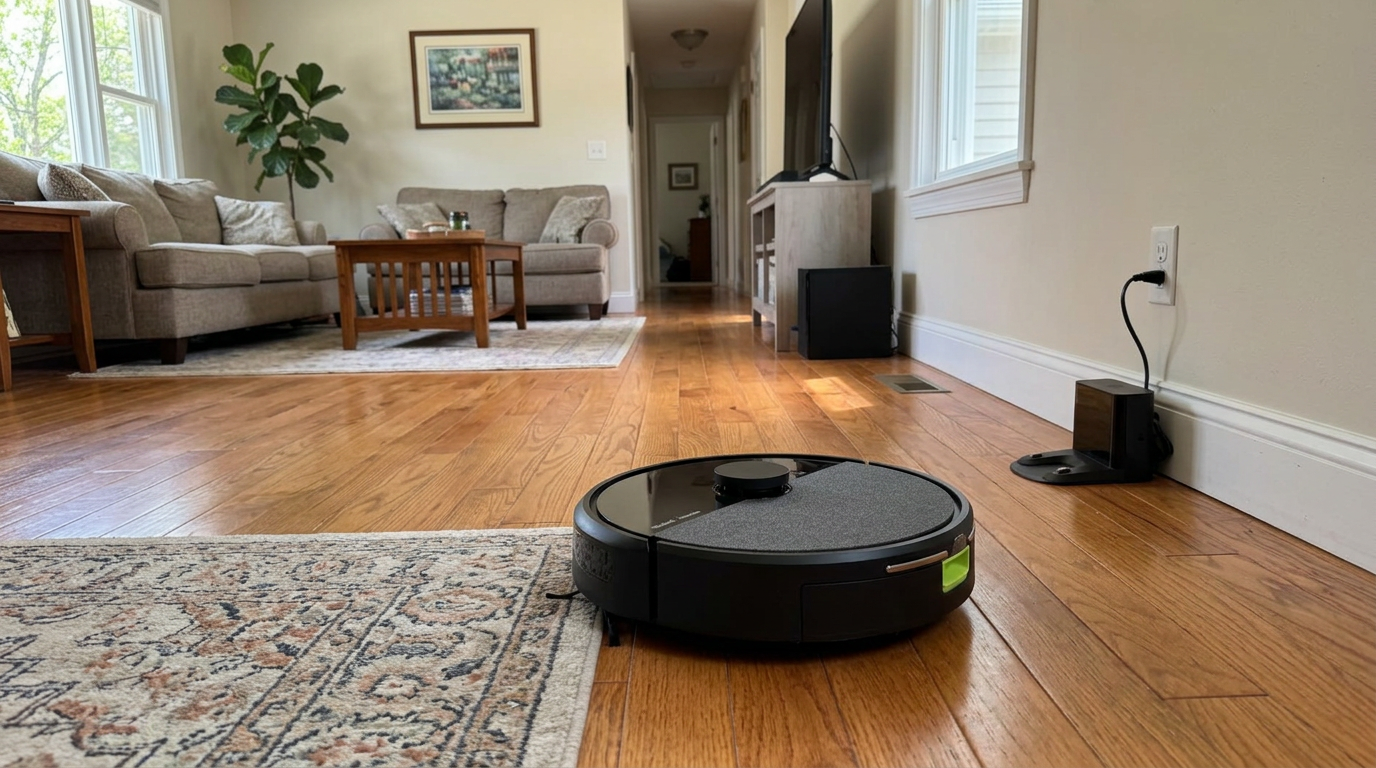
Recharge and resume helps it finish larger floors.
How loud is the Roomba 105 Combo?
At lower suction levels, the robot is quiet enough to run in the background. Several owners describe it as noticeably quieter than older Roombas.
Max suction is louder, as you’d expect. I’d save it for carpeted rooms and use a lower setting on hard floors.
If you have the AutoEmpty bundle, the dock makes a short, loud burst when it empties. Schedule runs for when you’re out if that bothers you.
Living with the Roomba 105 Combo over time
iRobot has a long history in robot vacuums, which helps with parts availability and support.
Long-term owners mostly report steady performance with basic maintenance: emptying the bin, rinsing the mop pad, clearing the brush and replacing the filter.
The most common long-term complaint is hair on the brush. Homes with long hair will spend more time on brush care than with robots that use rubber anti-tangle rollers.
Some owners report app hiccups after updates, such as maps needing a refresh. These are usually fixed by re-running a mapping clean.
The maintenance routine
After each mop run: rinse the pad and empty the tank. Weekly: clear hair from the brush and wipe the sensors. Every couple of months: replace the filter and check the edge brush.
Sticking to that routine keeps the robot performing like new for much longer.
Upgrading from an older Roomba
A lot of people shopping for the 105 Combo already own an older Roomba, often one that has run for years. It is worth knowing what actually changes.
The biggest change is navigation. Older entry-level Roombas bounced around the room and relied on repeated passes. The 105 Combo maps with lidar and cleans in straight lines.
That means it finishes faster, misses fewer strips and returns to the dock more reliably. Owners who upgrade often describe the difference as obvious from the first run.
The second change is the app. Room selection, no-go zones and scheduling by room were either missing or limited on older budget Roombas.
The third change is mopping. Older Roombas were vacuum-only, so the combo design adds a whole new job without needing a second robot.
What stays the same
Some things haven’t changed. You still get a single main brush, a single edge brush and no camera for small objects.
If your old Roomba frustrated you by getting stuck on cords, the 105 Combo will still need a tidy floor.
My tip: When you retire an old Roomba, keep its spare filters only if the model numbers match. Many older parts won’t fit the 105 family.
How the Roomba 105 Combo handles each floor type
Hardwood
Hardwood is a strong surface for both vacuuming and mopping. Use a light water setting and a clean pad to avoid streaks.
Tile
Tile cleans up well, though grout lines need occasional hand scrubbing since the flat pad glides over them.
Laminate and vinyl
These smooth, sealed floors are ideal. The robot moves easily and the mop leaves an even finish.
Low rugs
Low rugs are vacuumed well. In mop modes, the robot avoids them automatically.
Thick carpet
Thick carpet gets tidied on the surface. Use the highest suction and two passes for better results.
Carpet detection keeps rugs dry in mop modes.
Is the combo mop worth having?
It is fair to ask whether a simple microfiber mop is worth choosing over the vacuum-only version.
For homes with mostly hard floors, I think it is. Regular light mopping removes the fine film that vacuuming leaves behind, which keeps floors looking cleaner between deep cleans.
It also cuts down how often you need to drag out a full mop and bucket. Many owners switch to a weekly manual mop instead of every few days.
The trade-off is a smaller debris bin, since the combo bin shares space with the water tank. That makes the AutoEmpty dock more valuable on this model.
If your floors are mostly carpet, the mop adds little. In that case, the vacuum-only Roomba 105 Vac is the better buy.
If you want real scrubbing for sticky spills, the combo mop won’t be enough. A robot with spinning, pressurized pads is a better match.
What owners say about the Roomba 105 Combo
Owner feedback is broadly positive, with consistent praise for ease of use and lidar navigation.
- Easy to use once it’s set up
- Lidar mapping is a big upgrade
- Vacuum, mop or both in one robot
- Avoids mopping rugs automatically
- Quiet at lower settings
- Setup can take a while
- Long hair wraps on the brush
- Basic mopping
- Gets stuck on cords and small clutter
People upgrading from older Roombas are often the happiest, because the lidar jump is so noticeable.
Check which dock you’re getting
The Roomba 105 Combo is sold with either a basic charging dock or an AutoEmpty dock, and listings can look similar.
Check the listing for the words AutoEmpty or self-empty if you want the robot to empty itself.
Where the Roomba 105 Combo fits best
Apartments and condos
Small to mid-size layouts are ideal. The robot maps quickly and covers the whole home on one charge.
Hard floors with a few rugs
This is where its carpet detection shines. It mops around rugs while vacuuming everything on a separate run.
Families new to robots
The app is simple, the brand is familiar, and the modes are easy to understand.
Long-haired pets
I’d look at robots with rubber anti-tangle brushes instead. You’ll spend less time cutting hair off the roller.
Running costs to plan for
Running costs are modest. You’ll replace filters, brushes and mop pads, plus bags if you have the AutoEmpty dock.
| Consumable | Relative cost |
|---|---|
| AutoEmpty bags | Low to medium |
| Filters | Low |
| Edge brush | Low |
| Mop pads | Low |
| Main brush | Medium |
| Cleaning solution | Optional, low |
Relative cost over a typical year of daily use.
Genuine iRobot parts are widely available, and so are third-party kits. I’d stick with genuine bags for the AutoEmpty dock, since a poor seal can leak dust.
My tip: Keep two or three mop pads in rotation so one is always clean and dry.
Setting up the Roomba 105 Combo, step by step
Setup is simple, but a few choices in the first hour make a big difference to how well the robot works afterward.
Start by choosing a spot for the dock. It should sit against a wall on a hard floor, near an outlet, with clear space in front and to the sides.
Next, charge the robot fully before the first run. A full battery means the first mapping clean can cover the whole home without stopping.
Then open the Roomba Home app, create an account and connect the robot to your 2.4 GHz Wi-Fi network. Keep your phone close to the robot during pairing.
For the first run, open every interior door, pick up cords and small items, and let the robot explore without interruption.
When it finishes, review the map in the app. Split and name rooms, then add no-go zones around pet bowls, cords or fragile areas.
Finally, set a schedule. Start with a daily vacuum of the main rooms and a mopping run every few days, then adjust once you see how quickly your floors get dirty.
My tip: Don’t move furniture around during the first week. A stable layout helps the robot settle on a clean, accurate map.
How to get the best results from the Roomba 105 Combo
- Map with doors open
Let the first run cover every room for a complete map.
- Name your rooms
Accurate room names make schedules and voice commands easy.
- Use two passes in the kitchen
Extra passes help where crumbs collect.
- Run vacuum-only for rugs
In mop modes it avoids rugs, so vacuum them separately.
- Clear the floor
Pick up cords, socks and toys before scheduled runs.
- Rinse the pad
Wash and dry the mop pad after each use.
- Cut hair weekly
Use the cutting tool to clear the main brush.
A sensible cleaning schedule for the Roomba 105 Combo
- Daily: vacuum main rooms
A one-pass vacuum on living areas and the kitchen keeps crumbs and dust down.
- Every few days: vacuum and mop
Run combined mode on hard-floor rooms.
- Weekly: deeper clean
Use two passes and higher suction, then vacuum the rugs separately.
- Monthly: maintenance
Replace or clean the filter, check the edge brush and wipe the sensors.
What I’d check before buying the Roomba 105 Combo
A few questions will tell you quickly whether this Roomba fits your home.
Do you want self-emptying?
If yes, make sure the listing includes the AutoEmpty dock.
How much long hair is there?
Lots of long hair means frequent brush cleaning. Consider a robot with rubber rollers if that bothers you.
How dirty does your kitchen get?
For light film and footprints, the mop is fine. For sticky spills, you’ll still need to scrub by hand.
How cluttered are your floors?
Without a camera, tidy floors make a big difference to results.
How low is your furniture?
At about 4.1 inches tall, it clears many sofas but not the lowest ones.
My tip: Compare the combo and vacuum-only versions before buying. If you never plan to mop, the vacuum-only model carries a bigger bin.
Is the iRobot Roomba 105 Combo worth the money?
The Roomba 105 Combo is a good value if you want a familiar brand, accurate lidar mapping and light mopping without complexity.
It doesn’t compete with premium all-in-one robots on scrubbing, avoidance or hair handling. It isn’t trying to.
Its strengths show up in daily life. It cleans in neat rows, picks rooms on demand and knows to stay off rugs when mopping.
Its value depends heavily on the bundle and on sale pricing, which changes often for this model.
My bottom line is that it is a sensible, easy-to-live-with Roomba for mostly hard floors. Get the AutoEmpty bundle if you can.
Roomba 105 Combo vs Roomba 105 Vac
The closest comparison is its own sibling, the vacuum-only Roomba 105 Vac.
| 105 Combo | 105 Vac | |
|---|---|---|
| Navigation | ClearView lidar | ClearView lidar |
| Mopping | Yes, microfiber pad | No |
| Carpet detection | Avoids rugs while mopping | Carpet boost for suction |
| Bin | Shares space with water | Larger, dry only |
| AutoEmpty dock | Optional bundle | Optional bundle |
| Best for | Light mopping plus vacuuming | Vacuum-only homes |
Choose the Combo if you want light mopping on hard floors. Choose the Vac if you only vacuum and want a roomier bin.
iRobot Roomba 105 Combo specifications
Specifications from iRobot and retail listings. Dock type depends on the bundle.
Best Roomba 105 Combo alternatives
If the Roomba 105 Combo isn’t quite right, these are the robots I’d look at next.
Each fixes one of the 105 Combo’s limitations, whether that’s mopping power, suction or cost.
How I researched and rated the Roomba 105 Combo
This is a researched review. I based my verdict on iRobot’s specifications, independent test results and a large sample of owner reviews.
I scored it in these areas:
- Pickup on hard floors, rugs and carpet
- Mopping quality and carpet handling
- Navigation, mapping and obstacles
- Ease of use, maintenance and value
Where sources disagreed, I gave more weight to repeated owner patterns and consistent test results.
iRobot Roomba 105 Combo FAQ
Does the Roomba 105 Combo vacuum and mop?
Yes. You can run vacuum only, mop only, or both at once.
Does it use lidar?
Yes. It navigates with iRobot’s ClearView lidar and cleans in neat rows.
Does it mop carpets?
No. It detects rugs and avoids them in mop modes, so vacuum rugs on a separate run.
Does it lift the mop?
No. It avoids rugs instead of lifting the pad.
Does it empty itself?
Only if your bundle includes the AutoEmpty dock, rated for up to 75 days.
Is it good for pet hair?
It handles short hair well. Long hair tends to wrap around the brush.
Does it avoid obstacles?
It avoids furniture, but it lacks camera-based recognition for cords and socks.
Does it work with Alexa?
Yes. It works with Alexa and Google Assistant.
Is the Roomba 105 Combo worth it?
It is a solid choice for mostly hard floors and light mopping. check today’s price.


- iRobot product specifications for the iRobot Roomba 105 Combo
- Published independent test results
- Owner reviews and long-term owner discussions
- Amazon product listing for the iRobot Roomba 105 Combo
- Review first published.