Roborock Q7 M5+ review: big suction and a self-emptying dock on a budget
A LiDAR robot vacuum with 10,000 Pa of rated suction, an auto-empty dock and a simple mop pad. It's a strong everyday vacuum when you pick the right suction setting. The mop is basic, though, and thin rugs and hair need some attention.
In this review
The Roborock Q7 M5+ is a vacuum-first robot that gets the basics right: accurate LiDAR maps, strong suction on the higher settings and a dock that empties the bin for weeks. The mop is a simple drag pad, there's no mop lift, and thin rugs and long hair need some babysitting. Bought on sale, it's one of the easiest ways to get a self-emptying Roborock into a small home or apartment.
Roborock Q7 M5+ at a glance
Roborock Q7 M5+ pros and cons
- Strong suction on Max and MAX+
- Fast, accurate LiDAR mapping
- Auto-empty dock with a bag that lasts weeks
- Mature Roborock app with rooms, no-go zones and schedules
- Spring-loaded wheels handle normal door thresholds
- Low running costs for a self-emptying robot
- Mop is a simple drag pad with no lift
- Hair wraps around the single roller
- Thin, light rugs can catch and stop it
- No front camera, so it bumps into small objects
- 2.4 GHz Wi-Fi only
- Default suction can scatter larger debris
Who should buy the Roborock Q7 M5+?
- Apartments and small to medium homes
- Mostly hard floors with a few low-pile rugs
- Anyone who wants daily vacuuming without emptying a bin
- First-time robot vacuum owners on a budget
- Homes with a cat or a light-shedding dog
- Homes that need serious mopping
- Lots of thin, washable rugs or curled edges
- Cluttered floors with cables, socks and toys
- Long-haired pets or several heavy shedders
First impressions of the Roborock Q7 M5+
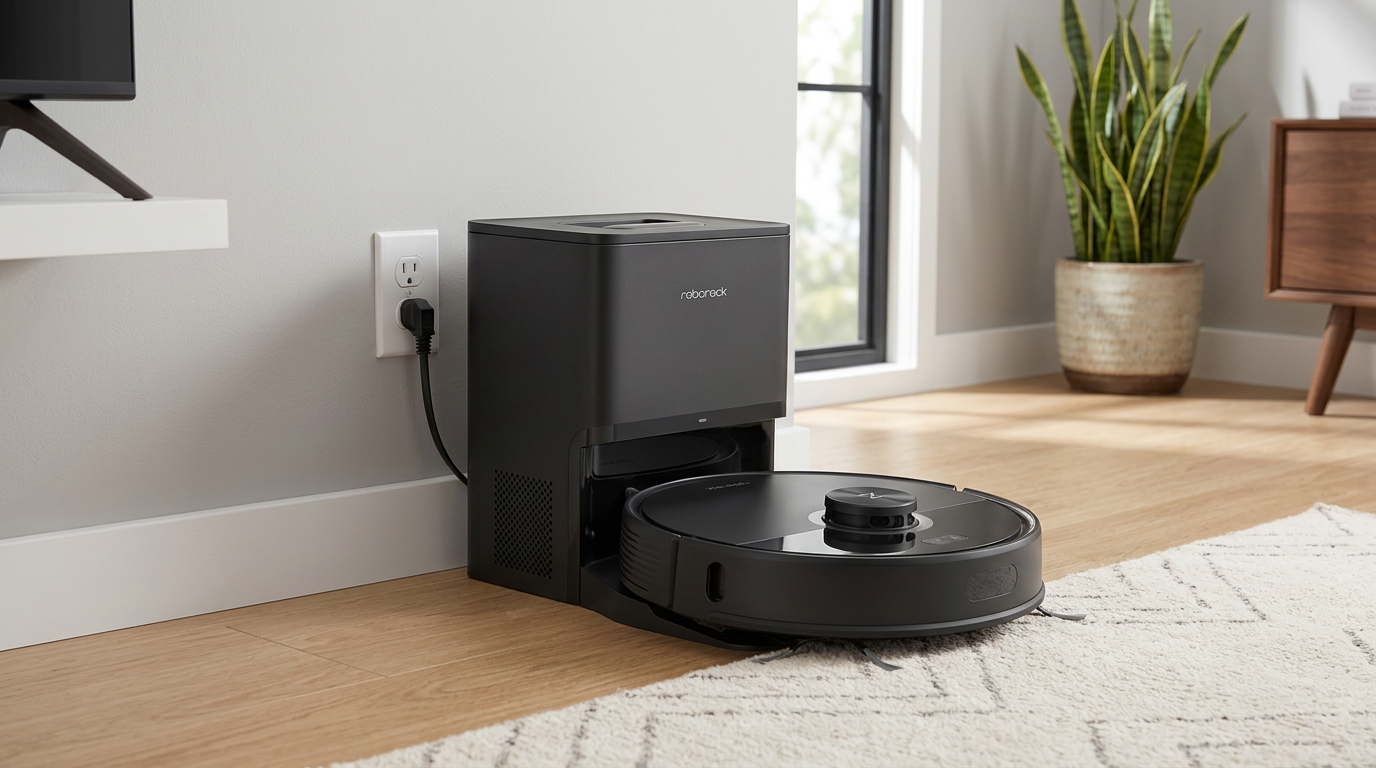
The Roborock Q7 M5+ looks like what most people picture when they think of a robot vacuum.
It's a round disc with a LiDAR turret on top, and it parks in a tall, slim dock that swallows the dirt from its bin.
There's nothing flashy about it.
No robotic arm, no camera, no mop washing station.
That's the point.
Roborock built it to do the daily vacuuming well and to keep the price down, and the parts it skips are the parts that usually push robot vacuums past $800.
The dock is slim enough to fit along a wall or next to a sofa.
What the Roborock Q7 M5+ actually is
The Q7 M5+ is a robot vacuum and mop combo from Roborock's budget Q series.
The "+" means it comes with an auto-empty dock.
The plain Q7 M5 has the same robot with a charge-only base, and the Q7 M5 Max+ adds a dock that also refills the water tank.
Roborock rates the suction at up to 10,000 Pa.
That's a manufacturer figure, so treat it as a ceiling rather than what you'll see on every pass.
Still, independent tests back up that this is a strong vacuum for the money.
Vacuum Wars measured 2.24 kPa of suction at the brush, compared with an average of 0.83 kPa across the robots they've tested.
Navigation is handled by LiDAR, the spinning laser on top.
It maps your home, splits it into rooms and cleans in neat rows instead of bouncing around at random.
Underneath, there's a single rubber main brush, one side brush, cliff sensors and thick, spring-mounted wheels.
At the back sits a combined dustbin and water tank, roughly 400 ml for dust and 270 ml for water, with a flat mop pad clipped underneath.
The dock takes a 2.7-liter disposable bag, which Roborock says can hold up to about seven weeks of dirt.
Setup and the Roborock app
Physical setup is simple.
Put the dock against a wall with some clear space on either side and in front, plug it in and set the robot on it to charge.
The app part is where people run into trouble.
The Q7 M5+ only connects to 2.4 GHz Wi-Fi.
If your router combines 2.4 and 5 GHz under one network name, or your phone is sitting on a 5 GHz band, pairing can fail several times before it works.
T3's reviewer needed about five attempts, and SlashGear only got it working after switching the phone to the right network.
Once it's connected, the first mapping run is quick.
The robot drives around, builds a floor plan and splits it into rooms that you can rename, merge or split.
From there you get the full Roborock toolkit: room-by-room cleaning, schedules, no-go zones, no-mop zones, carpet boost and multi-level maps.
Reviewers do report some rough edges in the app.
TechRadar and T3 both saw room names disappear and custom zones that didn't save, so it's worth double-checking your map after you edit it.
Roborock Q7 M5+ vacuuming performance
Vacuuming is what this robot is for, and it's where it earns its score.
Suction settings matter more than you'd think
There are five suction levels: Quiet, Balanced, Turbo, Max and MAX+.
The biggest lesson from other testers and owners is that the default setting isn't always enough.
SlashGear found that on lower settings, bigger bits like cat litter got pushed around and rattled in the housing instead of being picked up.
On MAX+, that problem mostly went away.
Owners on Reddit say the same about kitchen crumbs: Balanced leaves the bigger pieces behind, while a higher setting or a second pass cleans them up.
TechRadar saw it too.
On carpet, one pass in Turbo picked up most of their oats, and two passes on MAX+ cleared almost everything.
Hard floors versus carpet
On hard floors, the Q7 M5+ is at its best.
Dust, sand and crumbs on tile, wood and vinyl are the easy wins, and the systematic LiDAR rows mean it rarely skips a strip of floor.
Carpet is solid but not outstanding.
Vacuum Wars measured 75% sand removal in its deep-clean carpet test, exactly the average of the robots they've tested.
Carpet boost helps by automatically raising suction when the robot drives onto a rug.
Think of it as good maintenance on low-pile carpet, not a replacement for a proper upright now and then.
Edges and corners
The round shape and single side brush are a weak spot along walls.
TechRadar noticed debris left in room edges, which is typical for budget robots without an extending side brush.
If your kitchen gathers crumbs along the baseboards, expect to do a quick pass with a handheld every so often.
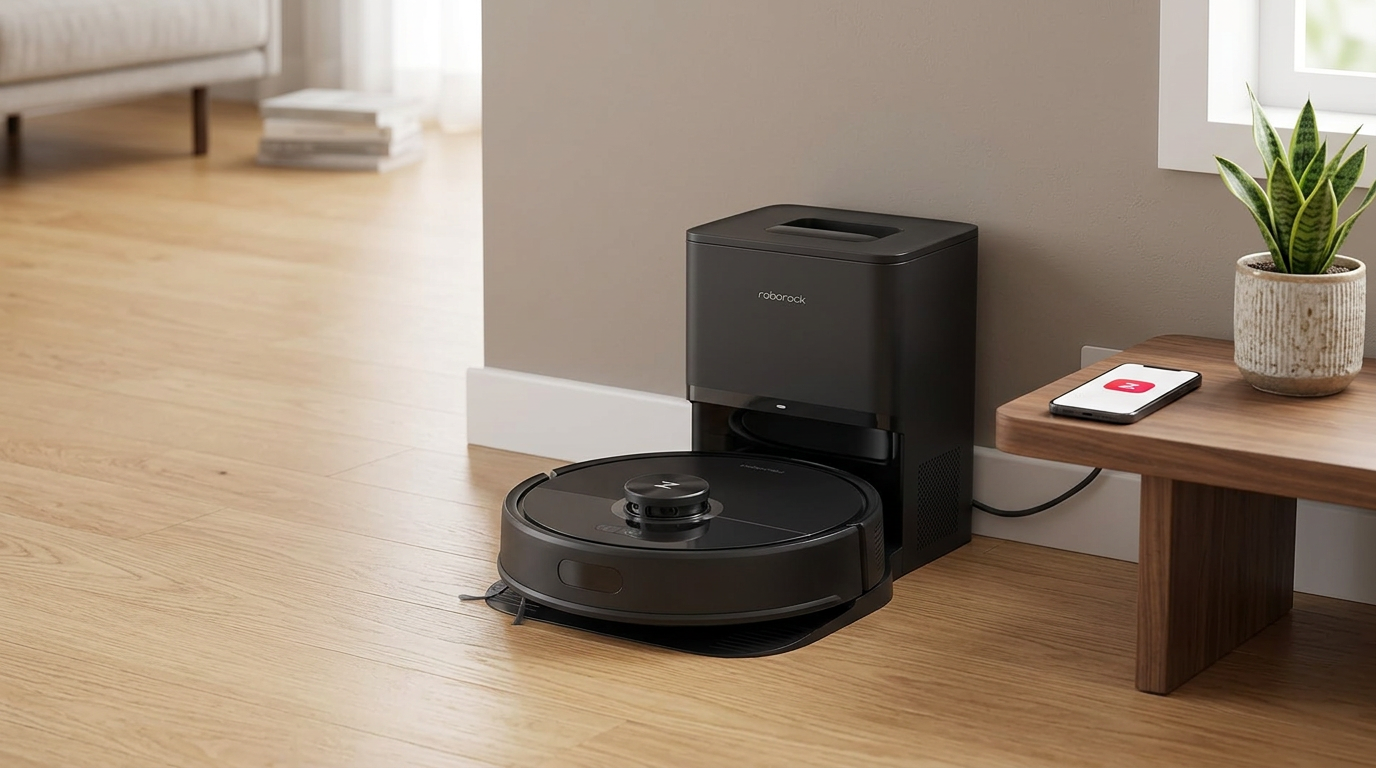
Hard floors are where the Q7 M5+ does its best work.
Rugs, thresholds and obstacles
This is the part of the Q7 M5+ that depends most on your home.
Roborock rates it to climb about 2 cm, or 0.8 inches, and the spring-loaded wheels give it a bouncy suspension that helps over door trims.
SlashGear's unit crossed raised wooden thresholds without trouble.
Thin, light rugs are a different story.
One Reddit owner with low-pile washable rugs said the robot kept catching and lifting the edges, then getting stuck.
The same owner noticed crumbs left along the rug borders, where the robot moved from tile to rug.
Other owners had the same problem only with certain rugs, and solved it with a no-go zone or by leaving that rug out of the map.
Furniture can trap it too.
If there's a narrow gap between a rug and a sofa, the robot may wander in and fail to find its way out.
Obstacle avoidance is basic.
There's no front camera, so it handles walls and furniture legs fine but bumps into socks, cables, books and toys.
T3 called it hit and miss, and TechRadar's unit ran into every test object in its lab course.
A quick floor pickup before each run makes a big difference.
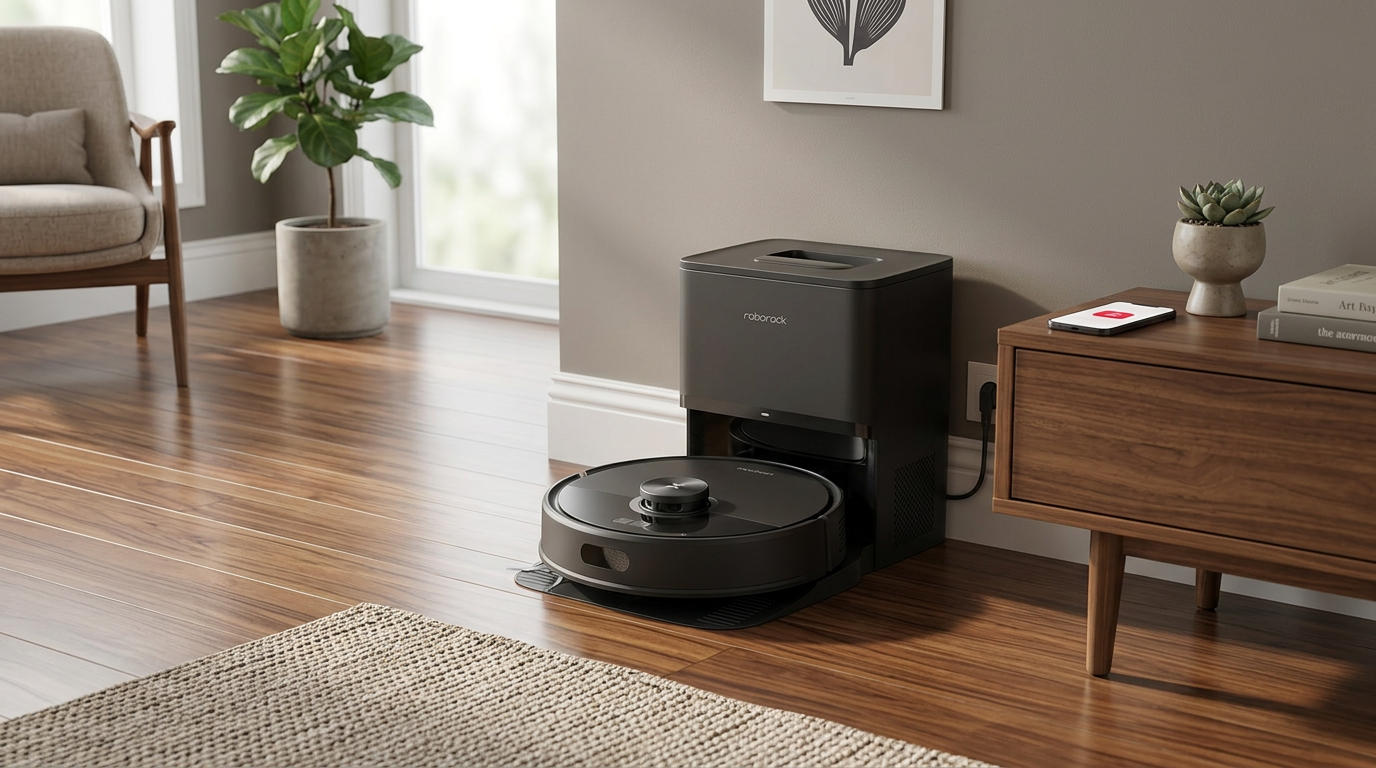
Low-pile rugs are fine. Thin, light rugs with loose edges can catch.
Pet hair and hair tangling
The Q7 M5+ picks up pet hair well enough for most homes.
SlashGear's unit cleared hair and litter on MAX+, and TechRadar saw it handle both dog and human hair.
The catch is what happens to that hair afterwards.
Roborock markets a dual anti-tangle system on the Amazon listing.
In independent tests, though, the single rubber roller still lets hair wrap around it.
In Vacuum Wars' tangle test, 43% of the hair ended up wound around the brush, a bit worse than their 38% average.
Their flattened pet hair test on carpet came in at 79%, close to average.
For a single cat or a short-haired dog, that's manageable with a quick brush check every week or so.
With long hair or several heavy shedders, you'll be cutting hair off the roller often enough that a robot with a dedicated anti-tangle brush makes more sense.
Mopping: a nice extra, not a real mop
The Q7 M5+ mops with a flat, D-shaped fabric pad clipped under the water tank.
As the robot drives, the pad drags across the floor and water seeps into it at one of three flow levels.
There's no spinning, no vibration and no automatic washing.
There's also no mop lift, which matters if you have rugs.
The pad stays down the whole time, so carpets can get damp unless you set no-mop zones or turn the water off in the app.
For light dust and footprints on tile or sealed floors, it does a decent job.
TechRadar and T3 both saw it lift dried ketchup after a few passes, and Vacuum Wars scored its stain removal well above average.
But it tends to run wet.
Vacuum Wars measured twice the average amount of water left on the floor, and TechRadar wouldn't use it on delicate wood.
My take is to treat the mop as a quick freshen-up between real mopping sessions, on the lowest water setting that still does the job.
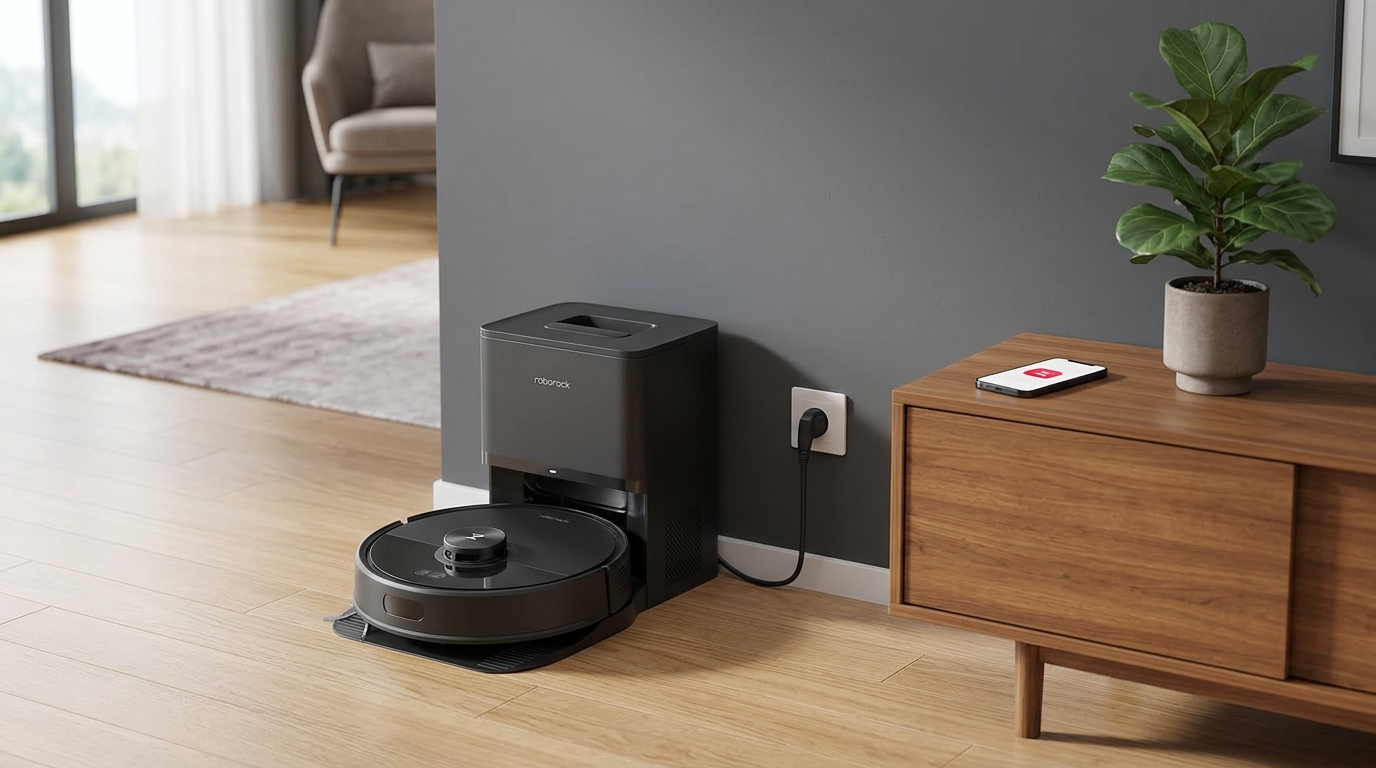
With no mop lift, use no-mop zones to keep the damp pad off your rugs.
Battery life and the auto-empty dock
The Q7 M5+ uses a 3,200 mAh battery.
Roborock quotes up to around 150 minutes on the lowest setting, but real runs are shorter on higher suction or with the mop attached.
Vacuum Wars estimated about 1,060 square feet per charge, just above average.
SlashGear's small apartment took just under an hour on the highest vacuum setting.
Recharging from about half to full took them a little under two hours.
In bigger homes it will return to the dock mid-clean, top up, and carry on where it left off.
That's normal behavior, not a fault.
What isn't normal is a robot that can't dock properly or won't charge.
A few owners reported exactly that, so if it happens after you've cleaned the charging contacts and cleared space around the dock, contact the seller about a replacement.
The dock is the main reason to buy the "+" version.
After each clean it sucks the robot's bin empty into a 2.7-liter bag, so you don't touch the dirt for weeks at a time.
For anyone with allergies or a pet, that alone is a big quality-of-life upgrade over emptying a small bin every day.
How loud is the Roborock Q7 M5+?
While cleaning, the robot is about as loud as you'd expect from a strong budget vacuum.
Quiet and Balanced are easy to ignore in another room, while MAX+ is noticeably louder.
The dock is the loud part.
Emptying the bin takes only a few seconds, but it's a sharp, jet-like roar that can startle pets.
If that bothers you, schedule cleans for when you're out, or set do-not-disturb hours in the app.
Maintenance and running costs
Day to day, there's very little to do.
The dock handles the bin, so the main jobs are checking the roller for hair and rinsing the mop pad after use.
The main brush, side brush and front wheel all pop out without tools.
The filter is easy to reach, and the dust bin and water tank come out as one unit.
Plan on a new dock bag every month or two, depending on how dirty your floors are.
Roborock recommends swapping the filter every six to twelve months and the brushes as they wear.
SlashGear found spare bags and filters hard to find early on, so check that they're in stock before you buy.
Third-party accessory kits are now common, which helps.
Is the Roborock Q7 M5+ worth the money?
Roborock's list price for the Q7 M5+ is $429.99.
At that price it's fine but not exciting, because you can find robots with mop lifts and camera-based obstacle avoidance not far above it.
The value story changes on sale.
When I checked in October 2026, Amazon had it at $249.99, and owners have reported getting it for around $200 during Black Friday deals.
At that level, a LiDAR Roborock with an auto-empty dock and a mature app is hard to beat.
My advice is to wait for a deal unless you need it today.
Prices move often, so check the current price on Amazon before you buy.
It's the cheapest pick in our guides to the best Roborock for pet hair, the best Roborock for carpets and the best Roborock for hardwood floors, and it makes the most sense in small homes and apartments.
Roborock Q7 M5 vs Q7 M5+ vs Q7 M5 Max+
All three use the same robot, so cleaning performance is the same.
The difference is the dock, and that's what you're paying for.
| Q7 M5 | Q7 M5+ | Q7 M5 Max+ | |
|---|---|---|---|
| Dock | Charging only | Auto-empty | Auto-empty + water refill |
| Empty bin by hand | After most cleans | Every few weeks (bag) | Every few weeks (bag) |
| US list price | $299.99 | $429.99 | $599.99 |
| Best for | Tightest budget | Best balance | Frequent mopping |
For most people the M5+ is the sweet spot.
The auto-empty dock is the feature you'll notice every day, while the water refill on the Max+ matters less with such a basic mop.
Roborock Q7 M5+ specifications
From Roborock's published specs and the Amazon listing.
Tips to get the most out of the Q7 M5+
- Use Max or MAX+ in the kitchen. Set a higher suction for rooms where crumbs and litter collect, and keep Balanced for the rest.
- Run two passes where it counts. A second pass picks up what the first one scattered.
- Fix problem rugs. Tape down curling edges, use a rug gripper, or add a no-go zone.
- Block traps. Add no-go zones around tight gaps under sofas and between furniture and rugs.
- Turn the water down. Start on the lowest flow and add no-mop zones over carpet.
- Check the roller weekly. Cut away wrapped hair before it slows the brush.
- Pair on 2.4 GHz. Make sure your phone is on a 2.4 GHz network during setup.
How I tested and scored the Roborock Q7 M5+
Alongside my own testing, I compared my results with independent lab tests from Vacuum Wars and reviews from TechRadar, T3 and SlashGear, and I read through owner reports on Reddit to see how the robot holds up over time.
- Vacuuming (8.2): pickup on hard floors and carpet across suction settings.
- Navigation (8.4): mapping, room splitting, thresholds, rugs and obstacles.
- Mopping (5.5): how well the pad handles dust and dried spots, and how wet it leaves floors.
- Maintenance (7.4): the dock, hair tangling and how easy the parts are to clean.
- Value (8.6): what you get for the typical sale price.
The overall score of 7.6 is an editorial rating. BrasQ editor-in-chief Ryan Mitchell reviewed the facts and figures before publication.
Roborock Q7 M5+ FAQ
Is the Roborock Q7 M5+ worth it?
Yes, especially on sale. It has strong suction, LiDAR navigation and an auto-empty dock. The mop is basic, so buy it for vacuuming first.
What's the difference between the Q7 M5 and Q7 M5+?
The robot is the same. The Q7 M5+ adds an auto-empty dock with a 2.7-liter bag, while the Q7 M5 has a charge-only base.
Does the Roborock Q7 M5+ lift its mop on carpet?
No. The pad stays down, so set no-mop zones over rugs or turn the water off when you're cleaning carpeted rooms.
Does it work on 5 GHz Wi-Fi?
No. It only connects to 2.4 GHz Wi-Fi. Make sure your phone is on a 2.4 GHz network during setup.
How often do you change the dock bag?
Roborock says the 2.7-liter bag can last up to about seven weeks. Homes with pets or lots of dirt will need to change it sooner.
Is it good for pet hair?
It picks up pet hair well on higher suction settings, but hair wraps around the single roller. It suits a cat or a short-haired dog better than several heavy shedders.
Can it get over rugs and door thresholds?
It climbs about 2 cm and handles most door trims and low-pile rugs. Thin, light rugs with loose edges can catch and stop it.
Does it avoid obstacles?
It avoids walls and furniture, but it has no front camera, so it can bump into socks, cables and small objects. Tidy the floor before a run.
Related reviews and guides
Roborock Q10 S5+ review Roborock Q10 S5 review Roborock QV 35A review The best Roborock for pet hair The best Roborock for carpets The best Roborock for hardwood floors Roborock error codes: what they mean and how to fix them

- Hands-on testing of the Roborock Q7 M5+ by [Tester name]
- Vacuum Wars: Roborock Q7 M5 and M5+ review and lab tests
- TechRadar: Roborock Q7 M5 robot vacuum review
- T3: Roborock Q7 M5 review
- SlashGear: Roborock Q7 M5+ review
- Owner reports on Reddit
- Amazon product listing for the Roborock Q7 M5+ (ASIN B0DWX69JVG), October 2026
- Review published.